Sleuthkit Apprentice
Download this disk image and find the flag. Note: if you are using the webshell, download and extract the disk image into /tmp not your home directory.
Download and extract the file.
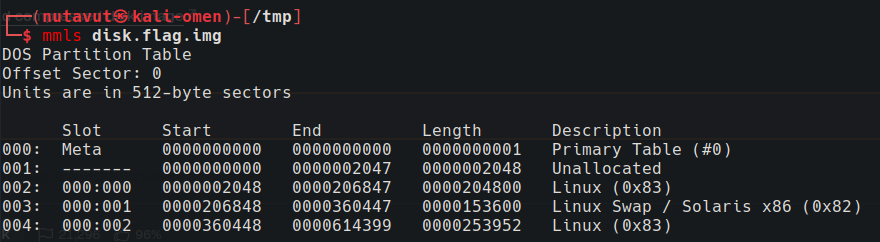
Use mmls to inspect the partitions.
There are two partitions to investigate further, starting at offsets 2048 and 360448.
Use the following fls command to look for the flag in both partitions. The second partition contains flag.txt:
1
fls -o 360448 -r -d disk.flag.img
This command recursively lists deleted files.

Trying icat on this entry returned no content.

The realloc marker suggests that the file’s metadata entry has been reallocated. Continue searching for other flag files.

Search for the pattern flag. The results include a promising file named flag.uni.txt.

Use icat to extract this file’s contents to get the flag!